Tags a Plenty
/I think I might have got carried away with my tag printing…
Rob Miles on the web. Also available in Real Life (tm)
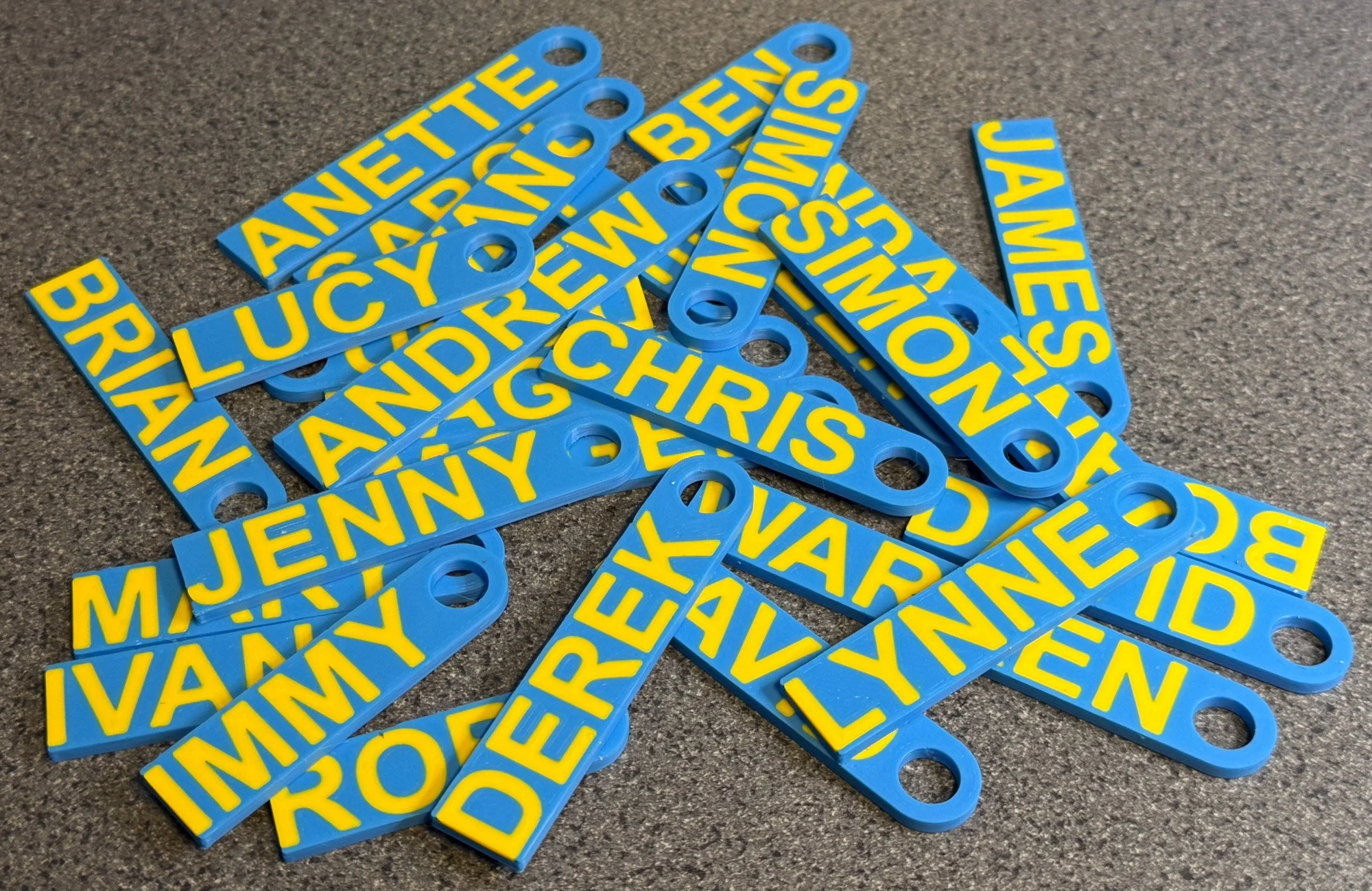
I think I might have got carried away with my tag printing…
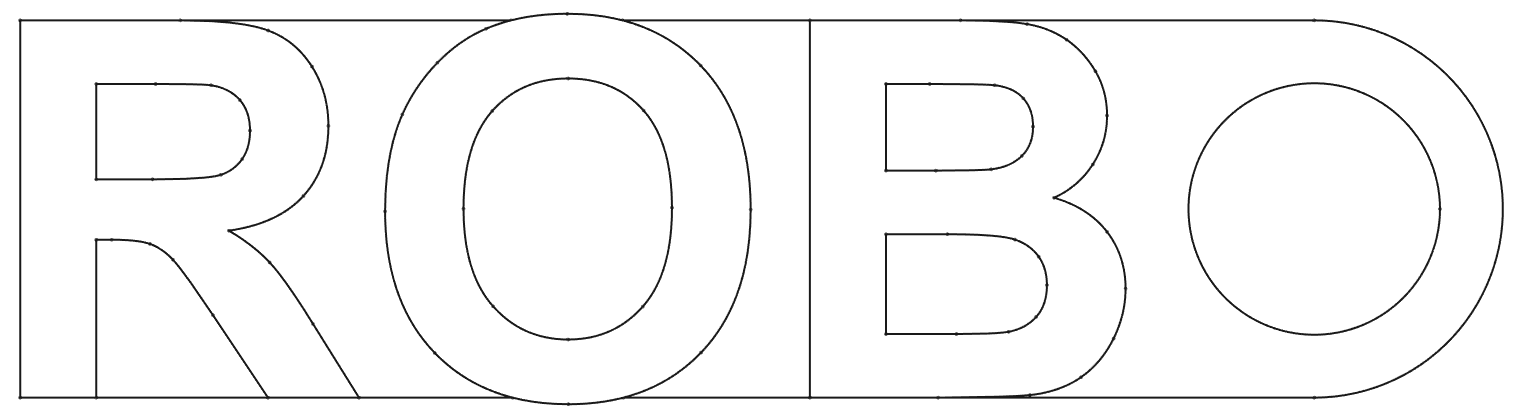
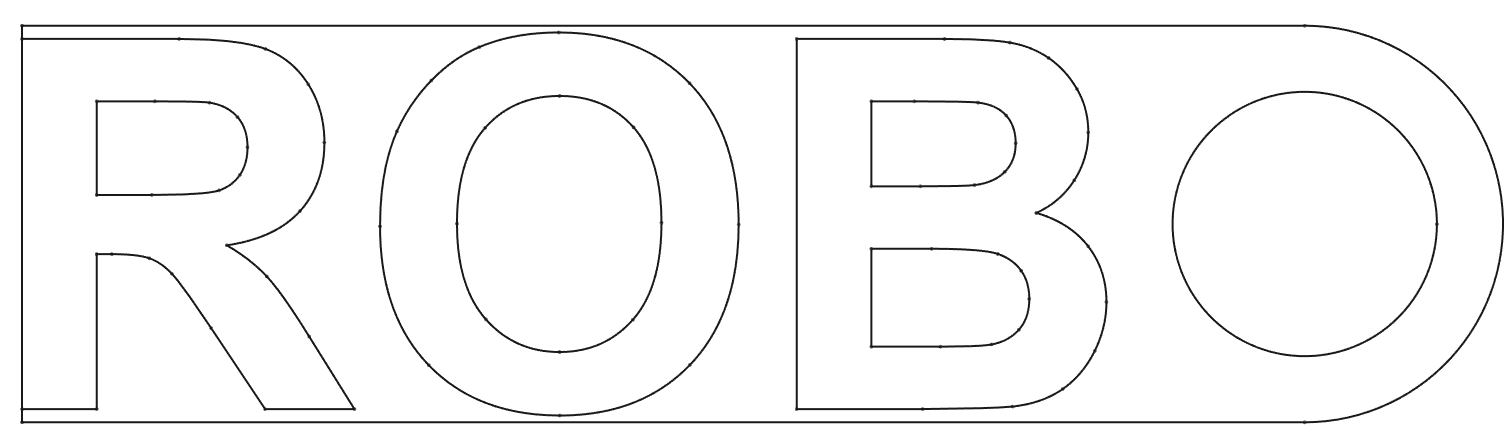
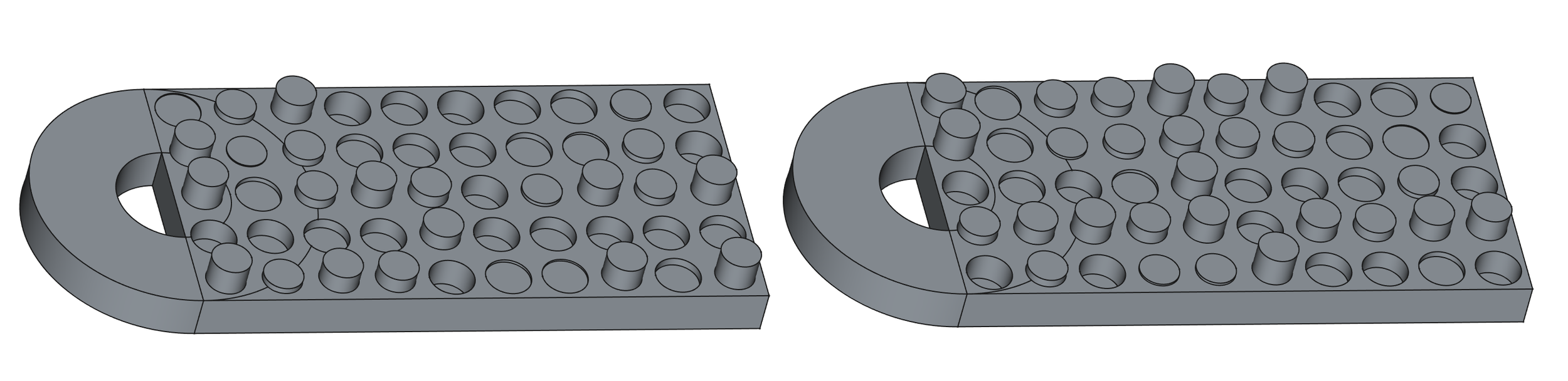
When I was making the tags yesterday I hit an interesting quirk of font rendering. My plan was to make my text exactly fit a tag by setting the size of the text to the height of the tag. This didn’t work because for obscure typographic reasons involving “making text look right” a capital O is rendered slightly larger than the surrounding text. As you can see above.
There were two ways I could solve this problem. I could check the height of each rendered character and scale it to fit exactly in the available height. Or I could just add a margin to the text.
I think I’ll just leave this here..
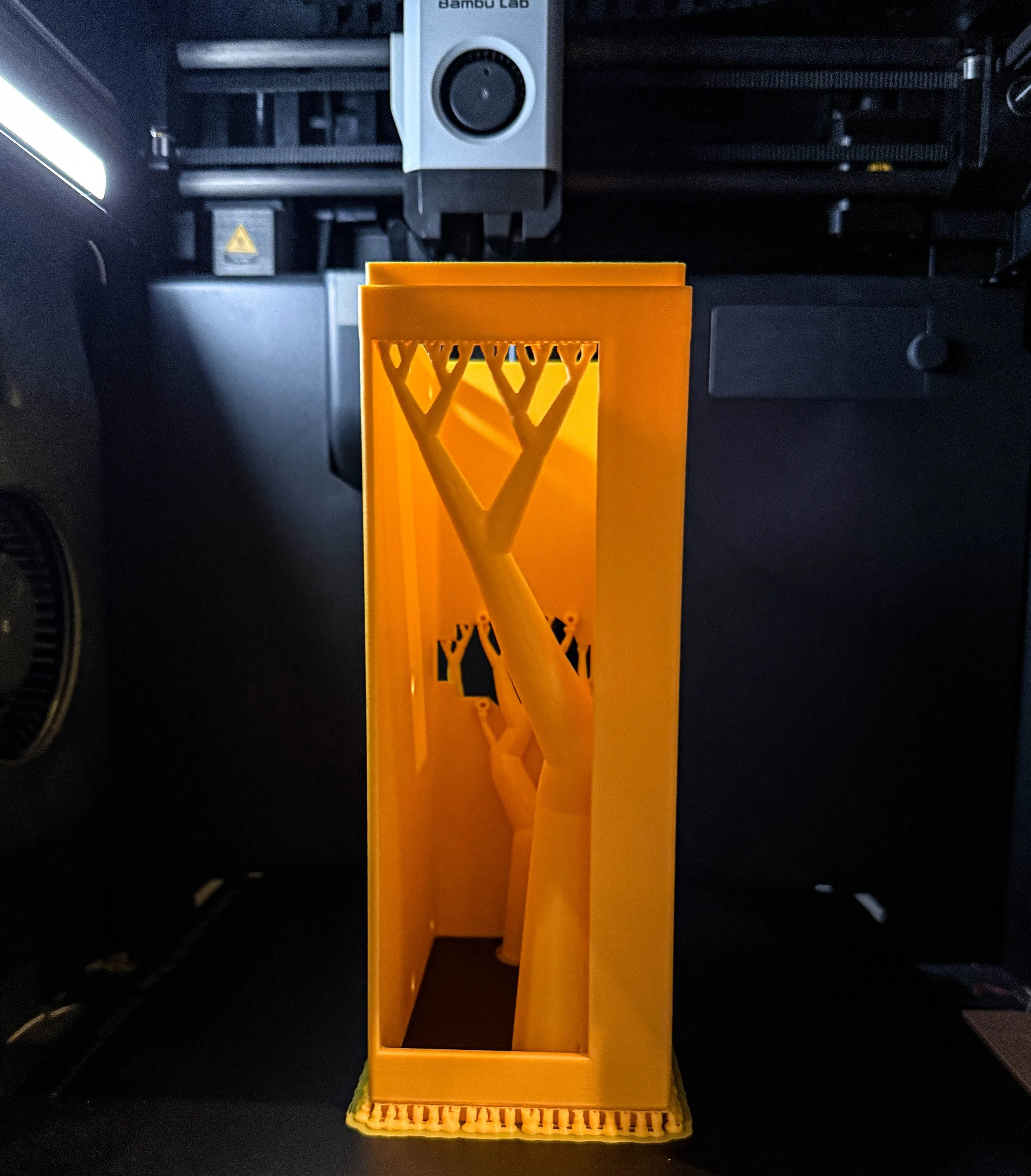
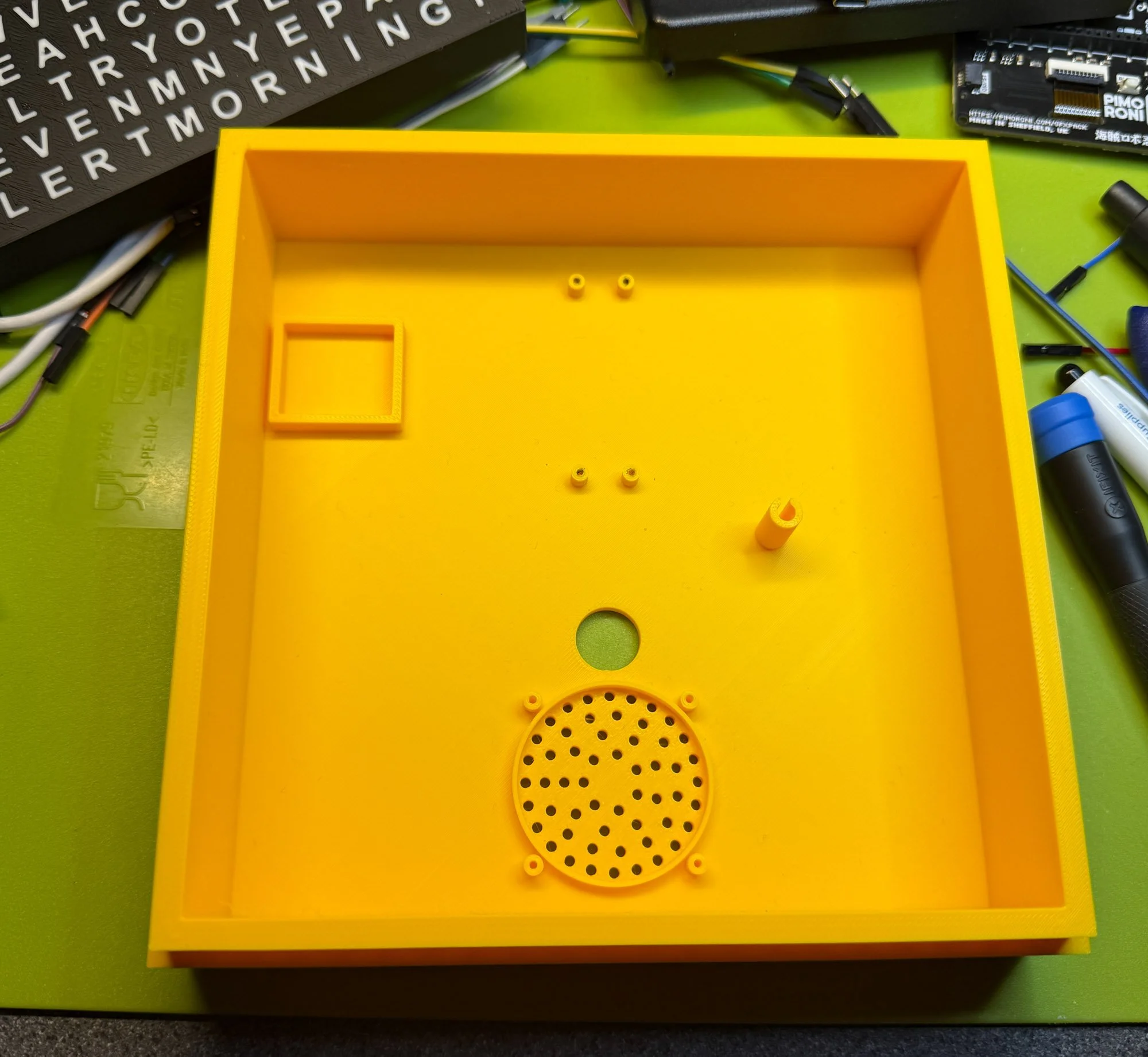
Look what I made today.
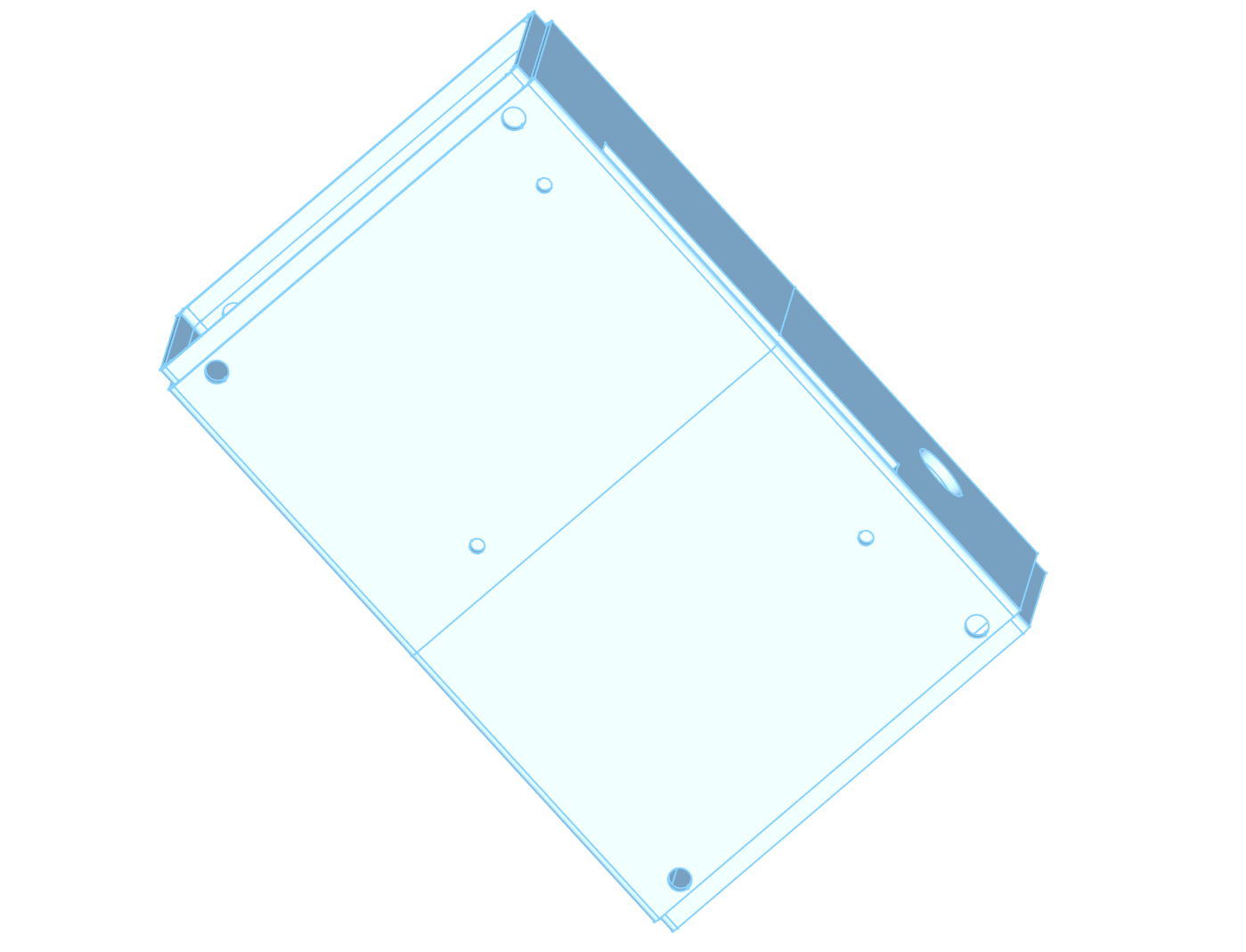
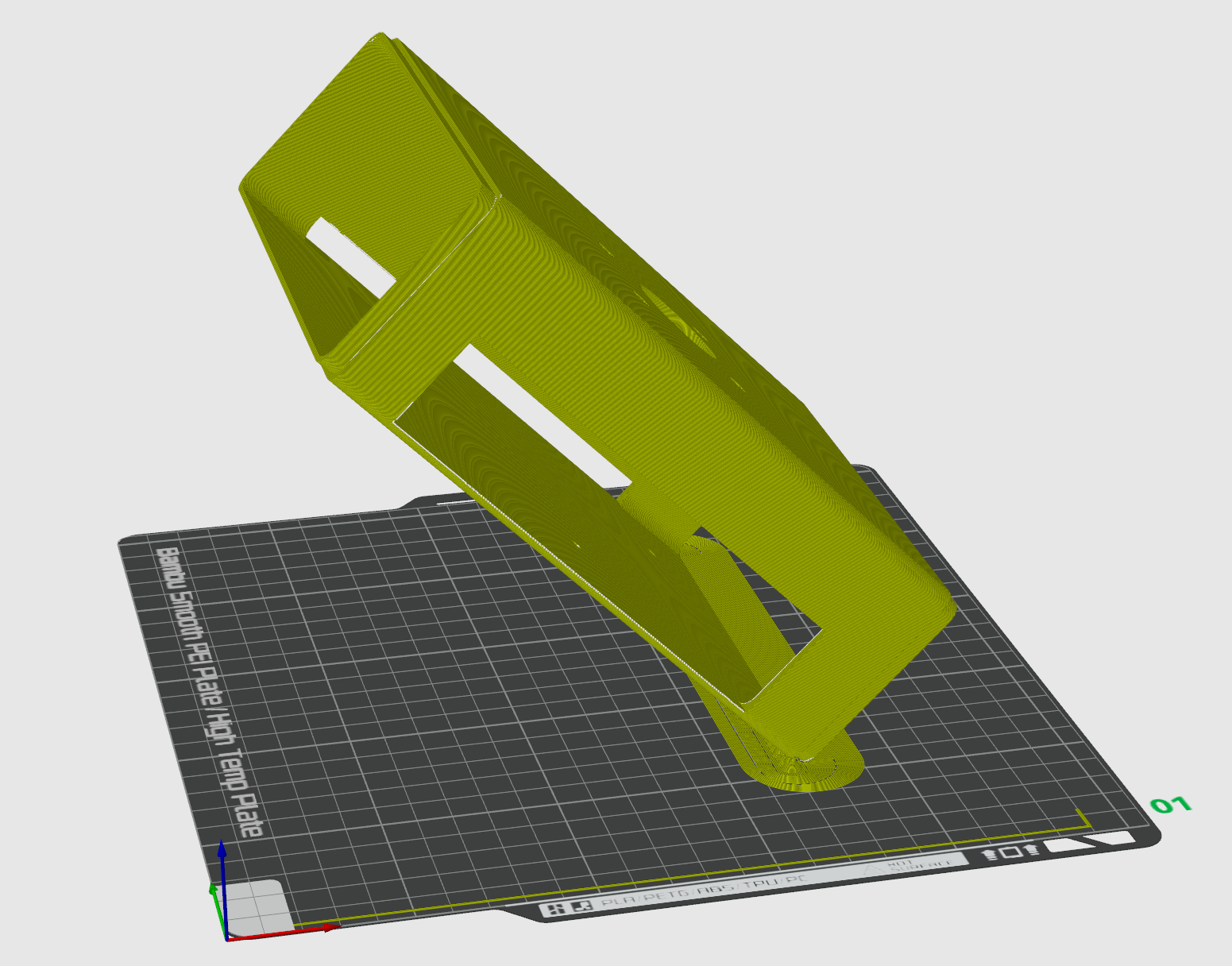
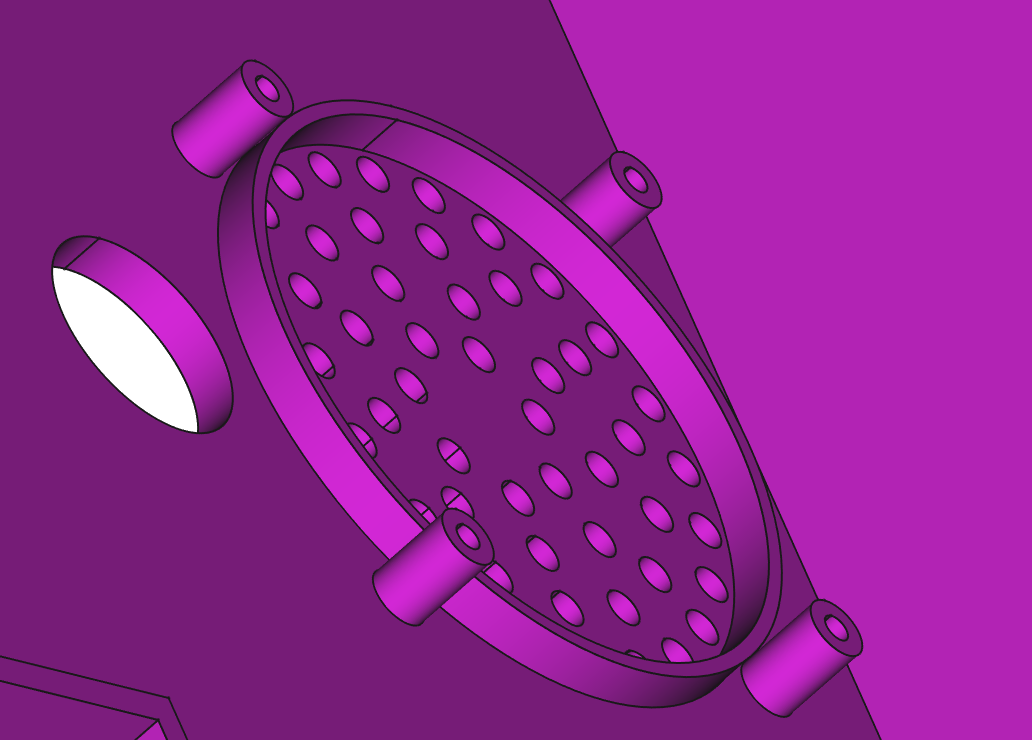
The box above took over three hours to print. It’s perfect in every way except one. I’m going to have to print it again. The problem is with the speaker fitting at the bottom of the box. The speaker fits into the circle and is supported by four pillars. But the pillars are too high.
You can see the problem here. If I put the speaker on top of the pillars there will be a gap between the speaker and the hole it fits in. This makes it sound awful. To understand why we have to learn about about how speakers work.
The cone in a speaker goes backwards and forwards, pushing the air in front of the speaker to make sound waves we can hear. We really don’t want to hear anything from the back of the speaker because, although it is also sound, it is going the “wrong way”. The sound term for this is “out of phase”. When air in front of the speaker is being pushed forwards, air at the back is being pulled. If sounds from the front and the back meet up they can interact in ways that don’t sound nice.
Some speakers use carefully designed boxes which take the out of phase sound from the back of the speaker and reflect it in some way to invert the phase so that it adds to the sound. Other speakers solve the problem by putting the speaker in a sealed box from which the sound from the rear of the speaker can’t escape. These are called “infinite baffle” speakers. If you call the thing that we put the speaker into a “baffle” (which sound people do) you can see that an infinitely large baffle would stop any sound from the back of the speaker getting to the listener.
I’m trying to make my device use the infinite baffle principle. That’s why I have the circle that the speaker fits into and seals against. However, if I have a gap between the front of the speaker and the baffle I get sound leakage from inside the box and the speaker sounds rubbish.
So that’s why I reduced the height of the pillars and printed the box again. It makes a surprising difference to the sound. As to why I got this wrong in the first place: I made all the pillars in the box the same height, then I increased the height of the pillars that support the PICO In the middle of the board and that made the speaker pillars higher too.
Update: It’s just occurred to me that I have a hole in the back in the form of the power cable entry. I might convert that into a socket (or add a seal) and see if that makes it sound even better.
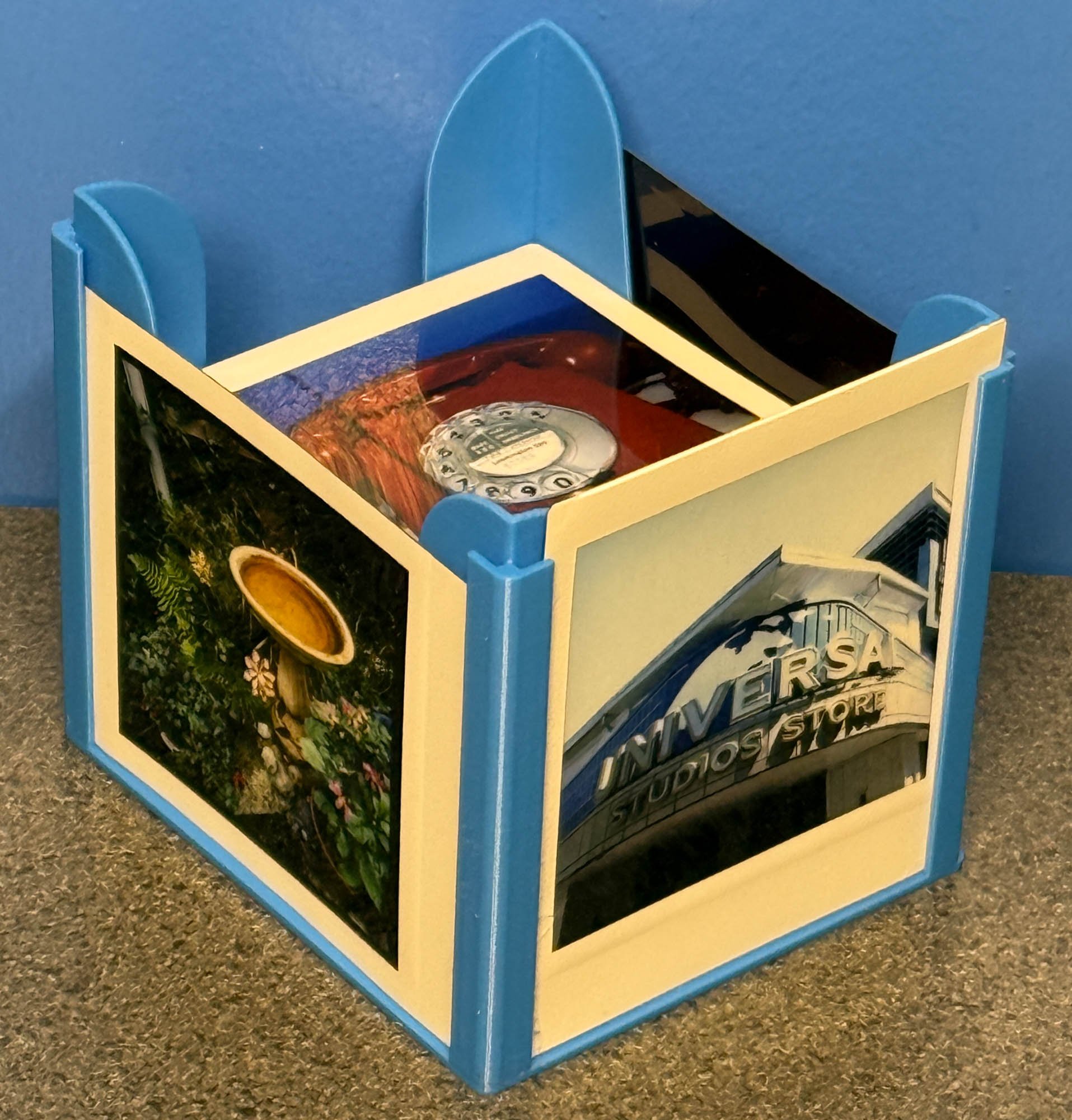
There are versions for all the different Instax sizes
If you have a bunch of Instax instant photos lying around you might like to print out this Instax Box Picture Holder. It holds a bunch of photos and you can also slot pictures around the sides. It works really well.
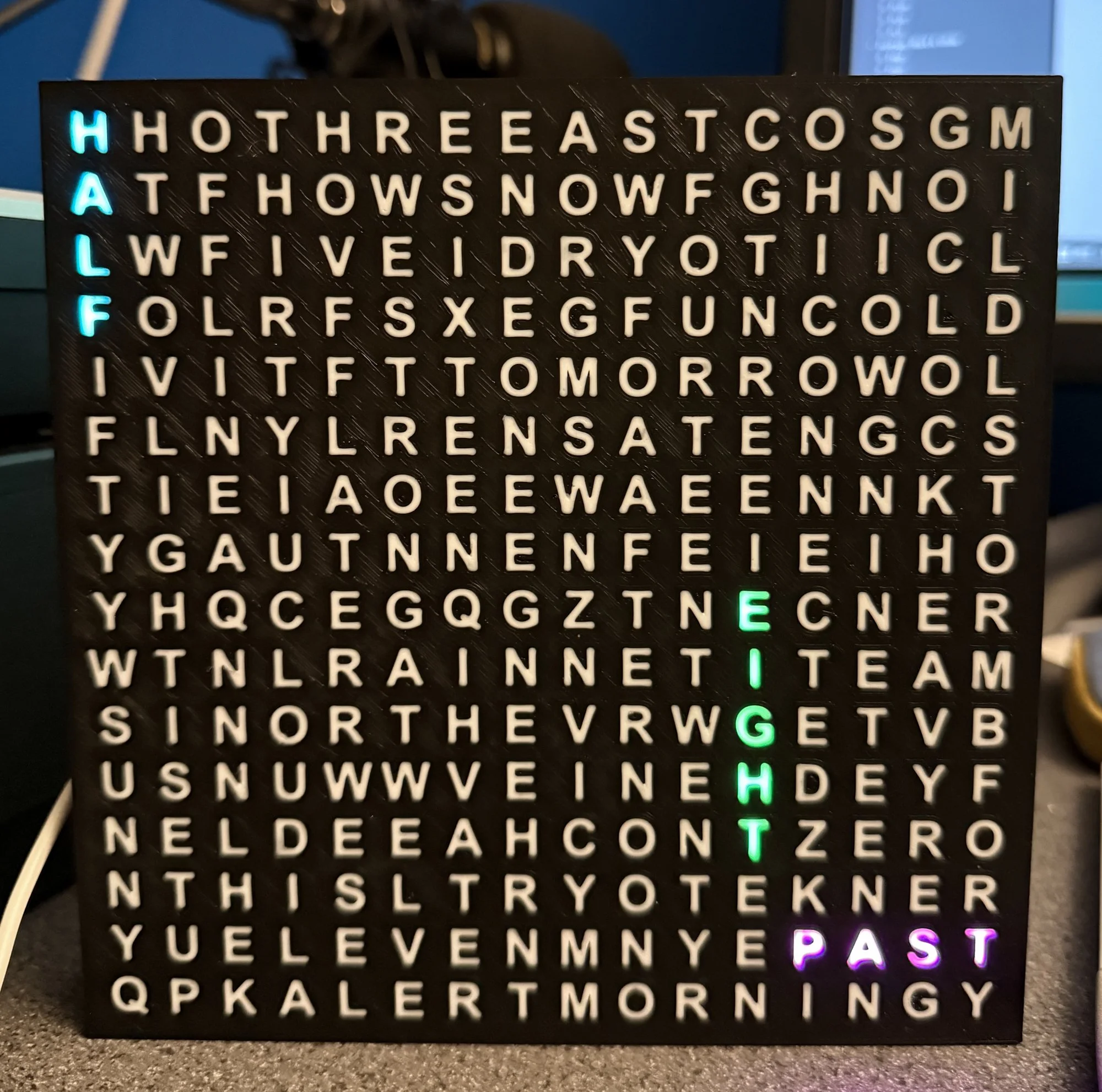
..now with the words “half” and “Quarter”
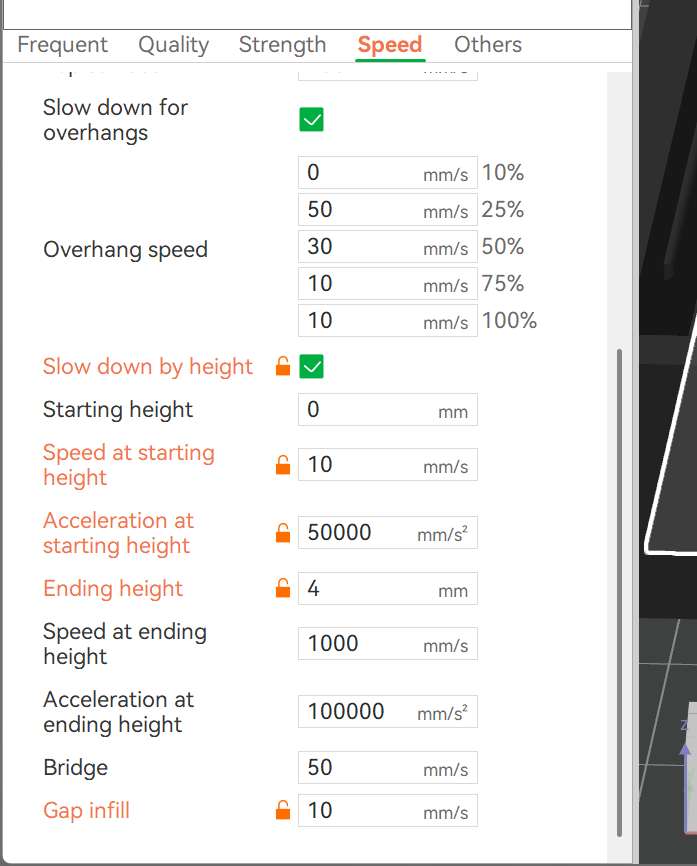
I’ve been printing wordsearch clocks again. As you do. The first few prints were spectacularly unsuccessful, which was a surprise as my Bambu printer is usually super reliable. The problem was that the first layer that is printed is the white letters. These are very thin and I’ve always found that white filament tends to not stick as well as other colours. The result was a couple of very messy prints that I had to abandon. So, I tried slowing things down a bit.
This is the print speed menu in Bambu studio. You can change printing speed by height, so that the first few layers of a print can be printed very slowly giving the filament time to stick to the bed. I just print the first 4mm of the model at the low speed, but because this is one of the more complicated bits it added over an hour to the print time. But it also worked, which is nice. So now I can make white and black and black and white wordsearches.
These are the finished versions and they’ve printed quite well. The idea is that you have one, and you give your significant other, er, the other. Then, when you meet up you can fit them together (they do fit rather well). Each pair is completely unique (unless you print lots of them I suppose) and symbolises the uniqueness of whatever you think is unique about whatever your relationship is. Oh the romance of it all. I’m putting together some examples of writing Python code inside the FreeCAD design tool, and the charms are one of them. Another is my “Little City”.
Not bad for around 100 lines of code. The examples will all be going on GitHub soon.
I spent a happy half-hour writing a bit of Python that designed these. I’m going to print them tomorrow. I really hope that they work….
After yesterday’s test print we have the finished result. All I have to do now is write the software….
I need to work on the letter sequencing…
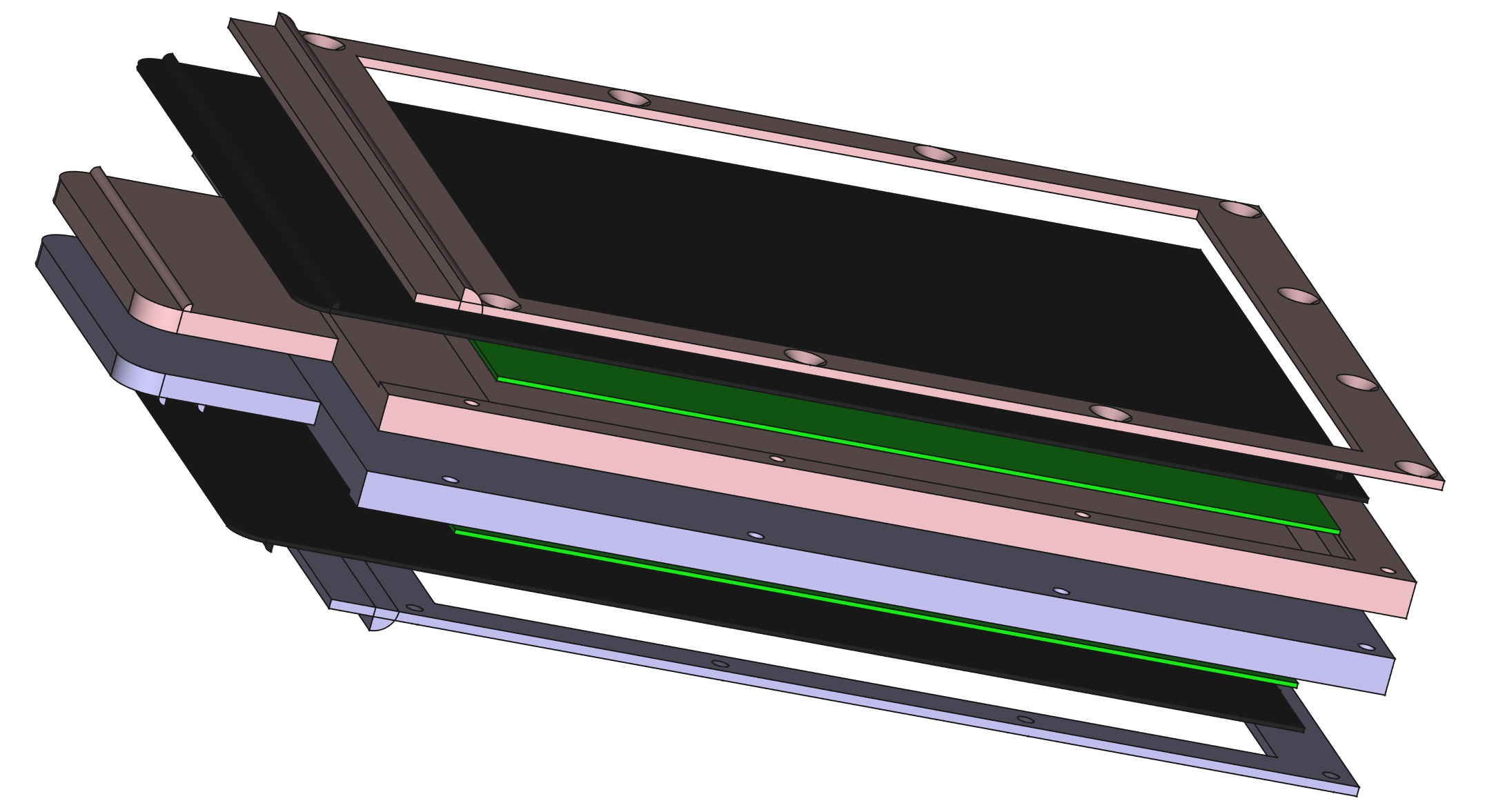
I’ve been working on the self-solving wordsearch for a while now. Today I’ve been creating two different models for the case, one is the white outer case and the other is the black letter grid. I managed to print out a small test piece and I’m quite happy with how things turned out. The idea is that I put lights behind the letters and you can watch the answers appear.
This is the back of the text. There are some bad bits, but they don’t really show
The design is built using Python in FreeCAD which made it very easy to create and align the two models. Next step is to make the full size (16x16) wordsearch and then print it out, which might take a while. Great fun.
The self-solving wordsearch project is coming along nicely. I’ve been experimenting with printed letters and they seem to work quite well. Tomorrow will be all about software….
I’m trying something different with 3D printed components. Snap fitting. Rather than using screws and whatnot I’m cutting grooves in one element and putting a lip on the other so that they snap together. It’s all done by the software that makes the panels, and I’ll be able to tweak the size and configuration of the snapping bits. All I have to do now is print the parts and see if they snap together….
this was the starting image
Ask ChatGPT for a cartoon of a happy axolotl and then feed it into the Bambu Flexi-Toy maker and you get something like the above. Although I don’t think I made a very good job of placing the hinges. However, it did manage to impress the recipient, which was kind of the point.
Behold, the super secret encoder. Each spy has their 3D printed encoder strip. Individually they are meaningless, but stack them together and the secret word is revealed. Other words can be entered if required.
You can create your own encoders using a little Python program that runs inside FreeCAD. The code is here: https://github.com/CrazyRobMiles/Python-in-FreeCAD
Might be fun for Christmas messages. It’s never too early to start.
My scheme to bring back punched cards is gathering pace…
If you wear glasses and have a 3D printer, or have a 3D printer, don’t wear glasses and know someone who does wear glasses or…. This is getting far too complicated. This looks like a really nice print for a very clever foldable case. I’m going to have a go with it.
I fancied some 3D printed lens cases. So me and ChatGPT wrote a little Python program that runs inside FreeCAD to make them. I find ChatGPT a useful coding companion. It doesn’t usually get the code right, but it does provide enough insight into how the code is supposed to work to make it much easier to create something that does what you want.
As an additional flourish, we managed to put text on the outside of the case by rendering a TrueType font into a shape and then cutting it out of the case. You can see the results above. Next step is to get some foam and make some inserts to keep the lens nice and safe. I’m going to tidy up the code a bit and put it on GitHub.
If you ever need a film holder to scan some APS film you can find my film holder on Thingiverse here.
If you fancy a slightly different Christmas Wreath (although it might a bit late to start now) you could do a lot worse than download “Not another LegoBrick Wreath” from Bambu Maker World and print a copy.
I’ve put my Minox Cassettes on Thingiverse so you can download them and have a go at printing your own cassettes. You can find my other Minox resources here.
Rob Miles is technology author and educator who spent many years as a lecturer in Computer Science at the University of Hull. He is also a Microsoft Developer Technologies MVP. He is into technology, teaching and photography. He is the author of the World Famous C# Yellow Book and almost as handsome as he thinks he is.