Flower Power
/
Number one wife and I have a very good arrangement with regard to gardening. She chooses the flowers, buys them, brings them home, plants them and waters them.
I take the photographs.

Number one wife and I have a very good arrangement with regard to gardening. She chooses the flowers, buys them, brings them home, plants them and waters them.
I take the photographs.

My iPad is turning out to be really nice. Games on it are fun, and the word processing and spreadsheet programs are definitely not toys, in fact they look to be very useful. However, typing at speed on the device is not too much fun. The best solution I've found is to put the device into landscape mode so you can use the larger version of the on-screen keyboard. This is OK, but the keyboard covers up a lot of the screen and I still don't really like the feel of typing on glass. Many years ago, when mobile computing meant a Windows CE device, there were lots of companies providing neat hardware you could use with your Pocket PC. One such company was "Think Outside the Box" who made a lovely little keyboard called the "Stowaway". I dug mine out this evening to see how it mingles with the latest technology.
The answer is "very well indeed". If you can track down a Think Outside the Box Bluetooth keyboard you should get one. The keys themselves are a miracle of folding cleverness. It looks like the company itself has gone now, but if you can track one down cheap I'd strongly advise you to. Paring the keypad with the iPad is a snap. Just hold down the CTRL+BlueFN+GreenFN on the keyboard until the green light flashes. Then get your iPad to discover the keyboard by going to the Bluetooth menu. The iPad will display a "magic number" that it wants you to type into the keyboard. Do that, remembering to hold down the BlueFN key as you type so that numbers are sent. Press enter when you have finished and, bingo.
The experience is so good, and the ability to type at speed so useful, that I expect we will see a return of gadgets like these, which let you make the most of these new fangled devices.

Choose your weapon….
Just spent a couple of hours invigilating. It was a law paper, and looked deeply scary. Then again, Computer Science papers probably look scary to lawyers…..
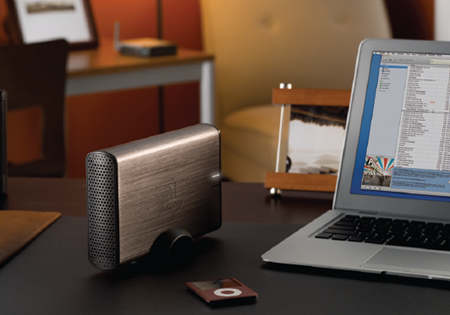
Now this is a useful device. The iomeaga Home Media Network Hard drive. It gives you 1 TByte of online storage that you can use at home. I’ve played with network storage devices before and found them quite useful. This is a bit more than just an online filestore though. It supports Apple Time Machine, so you can use it to back up your Mac. It also works as an iTunes and DLNA server, so that you can steam media to your Playstation or Xbox (or any other device including some TVs).
Finally it has things called Active Folders which are places you can lob files for background processing. One active folder will work with Bit Torrent, another sends files to your Flickr account and third will resize pictures placed into it. There are also ones to display slide shows to web browsers. I’ve used it with Macs and PCs and it seems to work fine once you have got the latest versions of the client programs on your machines. I’ve not tried the Active Folders much yet, I’m particularly interested in the Flickr uploader though. It also does network printing (which I must get around to).
If you are looking for a lot of storage that you can share around the house, or are looking at all the files you have spread around the place and wondering how to organise them, or you want to steam media to your consoles, then this is worth looking at. Particularly as from a price point of view it is only slightly more expensive than a USB hard drive of similar capacity. The best place to get them from in Hull is Staples, who have them at a very attractive 100 pounds at the moment.
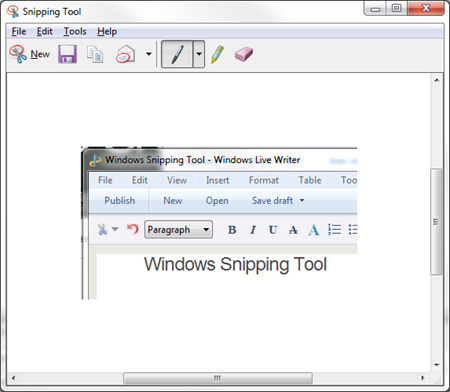
The Windows Snipping Tool started life in the Tablet versions of Windows but has now made it into the big time and is part of the Accessories for Windows 7. It is great for capturing images off the screen that you want to incorporate into other documents. Say for example you wanted to steal a screenshot of a Plants vs Zombies game and drop it into a blog post….
It is great if you are writing a manual for a program and just want to drop parts of the screen into your text. One of my pet peeves is documents that have the whole Windows desktop in their screenshots. Everybody knows about pressing the PrtScrn to copy the screen to the clipboard. A few people know about ALT+PrtScrn which lets you just copy the active window. With the Snipping Tool you can just capture the bit that you want to write about. You can find it in All Programs->Accessories, but it is so useful you’ll probably pin it to your Taskbar or Start Menu.
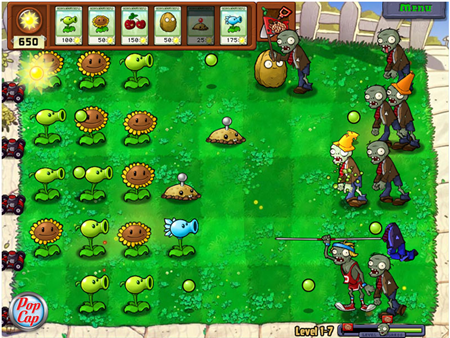
One game that seems made for the iPad is Plants vs. Zombies It is a bit like a tower defence game, but with fantastic graphics and beautifully paced gameplay. Number one son put me on to it, and I’m very glad he did.
Great fun.
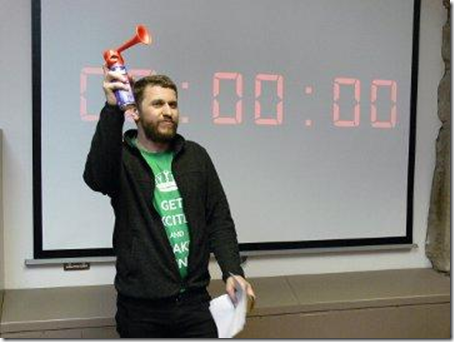
Calling a start to the event in noisy style..
Andy Sithers of Microsoft and a few Hull students got mention in an article in this month’s Edge magazine about some recent 48 hour game development competitions. This is where a bunch of teams are given a theme, 48 hours and a lot of pizza to make a game. XNA is a brilliant tool to use for this kind of thing, and Microsoft set up a couple of competitions this year.
Some students from Hull took part and while they didn’t win anything this year (having got a “Cheesiest Game” award last time) they did have a great time. I’d love to take part in one of these one day.

I think I’ve fixed the iPad WIFI now. Thank goodness. I had to reset all the network settings and then I’ve told my home network to always give it the same IP address whenever it connects. The device itself is lovely. I’ve put a few games on it and the user experience really is great.
The iPad is a lovely device. It hasn’t made me any cleverer or better looking yet (but then I’ve not had it a day) but it is nice to use. The screen is great to look at. Browsing web sites is a doddle (until you bash up against somewhere that uses Flash). The applications that you can buy look like they will be really quite useful. And number one wife quite fancies one too. The battery life looks good as well.
As of last night I loved it. This morning, when I woke it up and found that it no longer recognised my WIFI at home, I’m a bit less enamoured. I’d read about these problems when the iPad came out in the ‘states, but I presumed they would have fixed them before I got mine.
They haven’t.
I had to leave the house for work before I could do too much fiddling, and the iPad found the university network and is working fine at the moment, but I’m expecting a tussle when I get home. I’ll probably get around this by hard-wiring the network settings and with a bit of luck this will fix it. Otherwise I’ll have to wipe all the connections and re-connect. I can live with this, at a pinch, but I’m sure that number one wife wouldn’t like it much, along with anybody else expecting to buy an appliance.
I went onto the Apple support site and they have acknowledged there is an issue here, which is nice. They then said it might be a problem with “Third Party” – i.e. not made by Apple – routers. I found this a bit irritating to be honest. If I have twenty devices (and I must have used that number of WIFI devices at home over the years) and the 21st one doesn’t work I’m more inclined to blame the new device than anything else. Some of the suggested remedies (“Turn down the brightness”, “Hold the device above your head”, “Stand on one leg” etc) strike me as a bit daft when the proper solution is “Get Apple to replace the driver software with some that works”.
My advice, for what it is worth, is don’t turn your iPad off. I shut mine down last night and the reboot is the thing that seems to have broken it. Of course you might get the same effect when you wander in and out of range of your “Third Party” access point. Oh well.
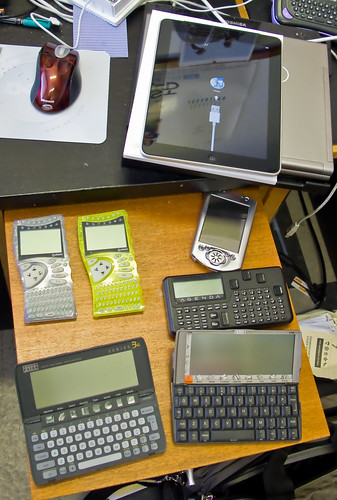
Some old gadgets. And a new one.
Been clearing out the cupboard in my office as part of a stocktaking exercise. Somewhat nostalgic. Do you remember all these?
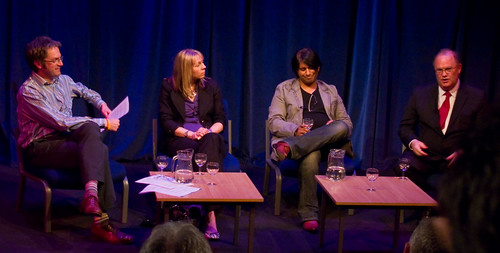
The view from the audience, from left to right Jon Moss in the chair, Imran Ali, Helen Philpot and Prof. Calie Pistorius, VC of Hull University.
I’ve just been to something really, really good. With free drinks at the end. Hull Digital Question Time was set up by Jon Moss and brought together a panel of experts to discuss the future of digital technology. I wasn’t sure what to expect, but the combination of interesting questions, a range of expertise from the panel and sensible debate from the audience made for a fascinating evening. And then we all went to the bar..
I think the event has been filmed and it would make an absolutely great podcast, so with a bit of luck it will turn up in a downloadable form at some point in the future. In the meantime, if you get the chance to go to any events like this in the future (and I’ve already asked for another one) then you should jump at it.
One more thing, Jon told us that the date for the next Hull Digital Live event has been set. It is the 4th of November this year. Note it in your diary.
Before I went to give my talk yesterday we dropped in at the Microsoft offices in Schipol. Very plush.

They have these amazing lamp shades in the restaurant.

Time around the world, Microsoft style.
The presentation was great fun and the audience was lovely. I really like these trips out. Thanks to all the folks at Microsoft Netherlands for looking after me
You can find the presentation and all the XNA content that I used during the talk here.

What a great audience looks like
Got up bright and early this morning to fly to Amsterdam and give a session on XNA. I also got to take a look around the splendid Microsoft HQ in Schipol. More pictures and the presentation slides and program content tomorrow. I’m off to bed now.

Spent pretty much all of today marking. I’m half way through my first red pen.

In between gardening and feeling very warm I wrote a custom content importer for XNA 4.0 today. This is the way that you can bring in your own content into an XNA game. I’m playing around with some game ideas and I needed to get a bunch of data into my game engine so I can twiddle with it.
Turned out to be a lot easier to do than I thought it would be. Actually, the whole content setup is lovely to use in XNA. If you ever want to do this, you can find a really great start here:
http://msdn.microsoft.com/en-us/library/bb447754.aspx
The stuff seems to work fine in Windows Phone too. I really know how to enjoy myself in summer…..

My, but it was hot today. I took this picture first thing in the morning looking across the river from St. Andrew’s Quay. This is the colour that it really was, no retouching. Around 10 minutes later the mist had lifted and it looked nothing like as nice.
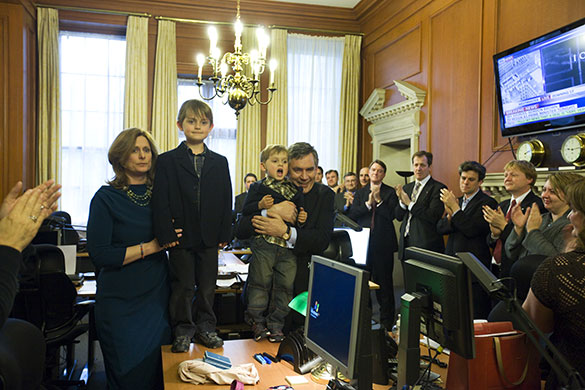
We were talking about different versions of Windows today and I mentioned that in Number 10 Downing Street they still use Windows XP on their systems. I told everyone that I’d seen it on the “historic” pictures taken inside the Prime Ministers’ residence during the election aftermath.
For some reason knowing this was regarded as sad…
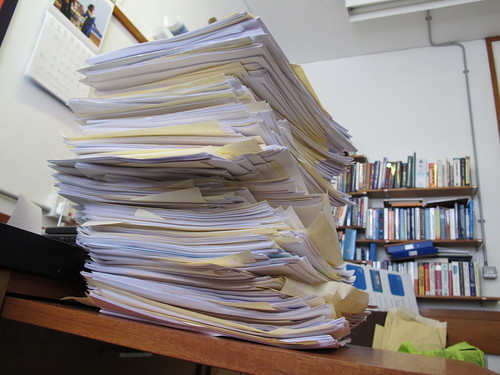
See rule 5
It was my “big” exam yesterday. Two hours of panic for the students. Four days of marking for me. So, nobody comes out of it particularly happy I suppose. For any academics out there I present Rob’s guide to marking.
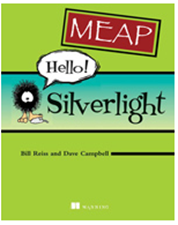
I’ve been lucky enough to get hold of an early copy of this book. If you are new to Silverlight and want to find out more this will tell you in a very nicely written way. It even has cartoons that are both funny and relevant – which is great. I strongly recommend it.
The book isn’t finished yet, but you can download and read the early chapters and even send comments back to the author. I’m looking forward to getting my hands on a proper printed copy when it comes out.
Rob Miles is technology author and educator who spent many years as a lecturer in Computer Science at the University of Hull. He is also a Microsoft Developer Technologies MVP. He is into technology, teaching and photography. He is the author of the World Famous C# Yellow Book and almost as handsome as he thinks he is.


