Bought a Red Robot USB Hub
/
These are really neat usb-hubs from Red5. I got the red one. Now I feel a need to own one of each….
These are really neat usb-hubs from Red5. I got the red one. Now I feel a need to own one of each….
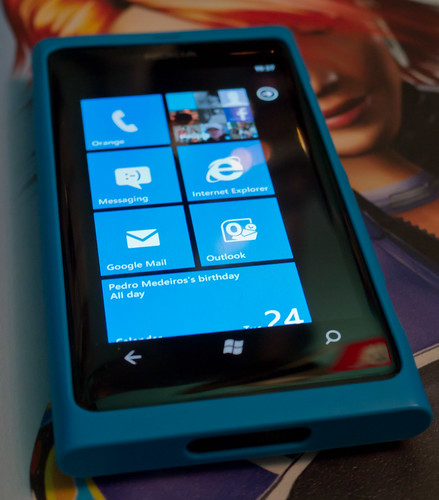
I think my Lumia 800 is turning me into a fashion victim. I got the Nokia blue case today. Looks pretty good too, as you can see. Special prize for naming the person in the back of the picture. I love the way that the case doesn’t look like a case, it just looks like I have a cool, blue phone. Which I have.
If you want to be cool too, Amazon have them in stock in a range of colours, look for the magic stock number Nokia CC-1031.

I’m making a sister application for the PlayMusic application. The PlayMusic program doesn’t do much, it just starts playing a random playlist when you run it. Not a lot of functionality, but it does mean you can start music playing by issuing a spoken command. I’ve had nearly a thousand downloads up to now, so a few people must find it useful.
The PlayMeMore application will do something similar. When you run it the program will find the album that the currently playing song is part of, and then play that album. I want this because frequently on random play I hear a track that I’ve not heard for a while, and fancy hearing the album it came from. I thought it would be nice to be able to say “Start PlayMeMore” and have it do this for you.
I’ve written the program in XNA because I like XNA and I might add a visualisation or two later. The program displays the name of the album when it starts it. By a wonderful quick of fate the first album it tried to play was Bête Noire by Bryan Ferry (darned good album too). And the program crashed. Any idea why? Took me a few minutes to work it out. It has to do with SpriteFonts.
When you use a font in XNA it builds a raster with the character designs on it. The font requirements are given in an little XML file that specifies the TrueType font to be used for the character designs. This font also specifies which character codes are rendered. And the default character codes don’t include the character ê. The fix is simple enough, open the file and make the end value a bit bigger.
<CharacterRegions> <CharacterRegion> <Start> </Start> <End>ÿ</End> </CharacterRegion> </CharacterRegions>
Normally the end value is 126, but this does not include accented characters like ê. Making the value 255 seems to fix the problem. And I’ve put a try-catch around my DrawString calls in case I hit any music info that has any weird characters in it. Like the artist formally known as Prince….

I had one of those happy/sad moments today. Someone showed me a stunning little game they’d written for Windows Phone. Snappy graphics and fun to play. “Is it in the Marketplace?” I asked. “No” was the reply.
Some people hold back until their game is “finished”. This is a bad idea. There is no such thing as finished as far as a developer is concerned. You can always add bits, make it better, tidy up the class design, make all the curly brackets line up. But if you keep on like that you never get anything out there. I’m not saying that you should push out broken programs, I’m saying that things like on-line high score tables, multi-player, extra levels, a level editor etc can always be added later.
The faster you can get something out there the faster you can start getting feedback and recognition. So go for it.

I said that anyone revising the Software Development exam could tweet their question with the tag #08220revison and I’d answer as best I could. Here are some of the answers. Good luck in the exam folks.
Multiplicity: A library can have lots of books. The multiplicity is one library to 1 to many books.
When to pick the programming language: Analysis should be all about the problem, so the language should be picked in the Design stage.
Waterfall vs. Rapid Development: Waterfall: do each stage, move on and don't go back. Rapid: Keep iterating and adding functionality.
Coupling and Cohesion: Coupling I ask you to do things. If you change what you do, I'm in trouble. Cohesion I can do my thing without asking you anything
Stakeholder: anyone who has an interest in the system(put up the money, wrote it, uses it, gets fired if it fails etc)
..and thanks to Charlotte for this link to the ultimate way to learn about Quicksort.
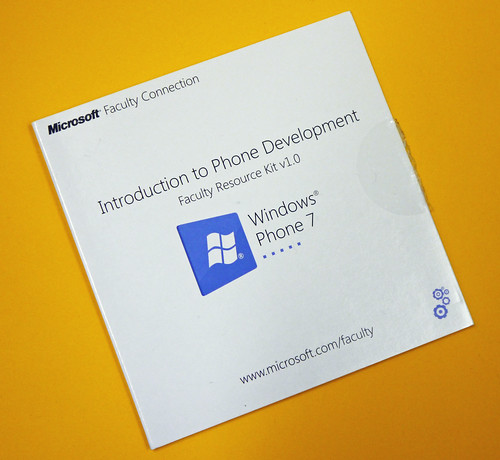
This DVD arrived in the post today. It contains a whole bunch of Windows Phone curriculum content, some of which was written by me. It includes stuff about Windows Phone development and Windows Azure on the phone.
If you want a DVD of your own, or to download the content you can find it here.

I’m always impressed by how clever modern things are. But I’m also perplexed how some people take all this cleverness and make things that aren’t very useful. Take my telly. I’ve got a Sony PS3 plugged into a Sony amplifier which is connected to a Sony TV. When I try to watch a Bu-ray disk on the PS3 it takes ages to connect to the TV and I sometimes get a bright green (or purple – it varies) screen. And often the PS3 has forgotten all about any previous audio settings that I’ve laboriously made so that I have to go and do them all again. And when I watch the Blu-Ray (also from Sony Columbia Studios) it shows me a warning that because the disc contains “Advanced Interactive Content” (which I have no interest in) it might take several minutes to get started. And then when it has loaded the disk it insists on showing me lots of trailers and other stuff about how much Blu-Ray is better than DVDs before I get to the main feature that I have paid money to see. Say what you like about my old record player, but I could guarantee that within 10 seconds of arriving home with a new album I could be listening to it.
Wah. Did nobody at Sony actually try to use this stuff? Apple are rumoured to be moving into TV soon. I bet their system won’t have 30 second pauses while nothing useful happens. Here’s hoping that their presence will force manufacturers to get their act together.

Bought four of these today. Very expensive, but they did each come with a free chair.
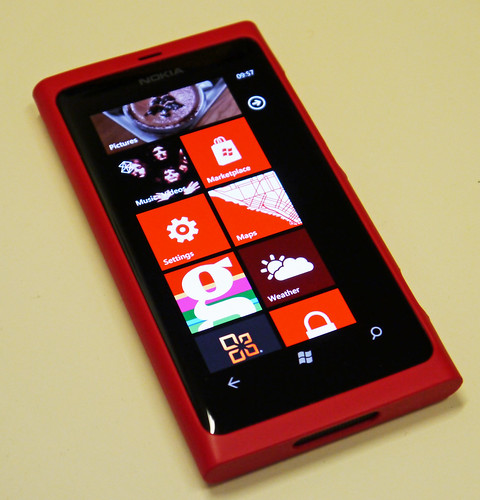
Got a spiffy red case for my Lumia 800 today. I like the way that it really looks part of the phone, even to the way that the buttons show through holds in the case itself. I’ve got a blue one on order so that I can change the colour to reflect my mood. As long as I only have three moods – black, red and blue.

This seems to be the year that the education system woke up to the fact that getting kids to make things with computers is a good idea. Excellent. I’m sure it was my blog post yesterday that tipped the balance….
Anyhoo, if you’ve got kids and you want to get them into programming here are my tips for tools that you can use. Note that these are just the ones that I’ve heard of and used, there are lots of others. If you have ones that you want me to mention, let me know and I’ll add them.
Making Computers Do What You Tell Them
These systems get kids used to the idea of logic and control. They have strong gaming context, but that is not a bad thing because it is engaging and gets kids thinking in the right ways.
Little Big Planet – making games goes mainstream. A great way to play games with your kids, create stuff and get things out there. Lots of scope for making things and showing off.
Wairo Ware DIY – make your own mini-games on Nintendo DS. Great fun.
Kodu – make games that run on your Xbox 360. All the programming is done using the gamepad and it is very easy to get interesting game behaviours.
Scratch – wonderful, free platform for the PC and Mac that lets students build fun games using their own assets.
Alice – great little scripting language.
Fiddling with Hardware
There is nothing quite like making hardware jump around and lights go on from software control. Kids love this.
Lego Mindstorms – a bit pricey perhaps, but no more than a few computer games. And you get Lego quality components and a really nice development environment that lets you create some very complex behaviours. Can also be used as a stepping stone into real robotics via things like Microsoft Robotics Developer Studio
Arduino – a good way to get your hands dirty of you want to make things out of tiny components. Lots of add-ons and an easy programming environment to get to grips with. Great if you want to learn some electronics along with your programming.
Gadgeteer – just coming onto the market. If you have folks who can write simple programs (Java or C#) and want to give them an easy way onto proper hardware then this is for you.
Writing Proper Programs
This is were we get more serious. These are tools that take you into the world of proper program development. They are not to be taken lightly, but they do let you make things that you probably can sell.
Small Basic – a version of basic that is free, very easy to understand and works a treat.
XNA – a very easy to use game development environment which takes C# skills and lets you write proper games using them. Start at the create hub and find a wealth of resources for learning and making games and programs.
A Word of Warning
Learning to use computers creatively is hard work and involves lots of practice. Just like learning to play a guitar is hard work and involves lots of practice. I’d hate folks to think that because these tools make it easy to get started (and they do) that making things that are properly impressive and useful is easy. It isn’t.
The ones that are best at writing software are the ones that are prepared to put the time in fiddling with their programs, persisting with them when they don’t work and polishing them to a high gloss when they do.
Be prepared for the moment when your kids get into computers and they find that actually they have to work at it. Good advice in this situation:
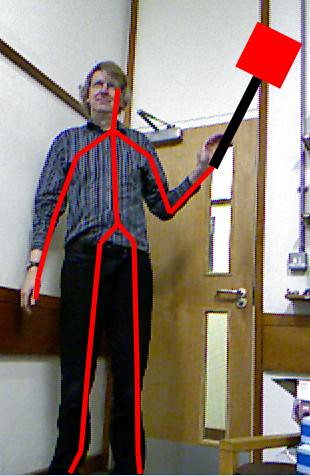
This is me “holding” my virtual mallet. I’m writing a chapter of the Kinect Book about Augmented Reality. All I need to add now is some bugs to splat…

The Guardian has just produced an article with the rather depressing title “Britain's computer science courses failing to give workers digital skills”. You can read it here. The gist of the text is that ‘poor quality training’ and ‘sausage factory’ courses are not providing the skilled and useful people that industry needs.
Oh dear. I always feel a bit nervous when I read these things. I start to wonder if what we do at Hull gives our students a good experience and teaches them skills that make our graduates properly useful. I cheer up a bit when I consider that we actually do a pretty good job for our students with things like Three Thing Game and Evil Squash to get their teeth into and a taught Masters that puts them out into industry. Plus lots of other things I haven’t got space to mention here. And then I remember how our students actually end up doing quite well in industry.
However, I also wonder a little bit about the place of Computer Science in the world. Some time back The Guardian (same paper) did a big feature called “Top Artists reveal how to find Creative Inspiration”. I found this really annoying. Not because the folks that were there weren’t creative, or that their tips were silly. No, the reason this made me cross was the unspoken assumption that only arty types can be creative. I reckon that Computer Science is the most creative thing you can do. A writer can produce a book about an idea. A composer can create a song about it. A playwright can write a play about it. But a Computer Scientist can bring the idea to life. Which would you rather have, a song about Facebook or Facebook?
Computer Science is the most creative thing you can do. One of the few things we know for certain about the future is that it will be built using digital technology. Everything around us is being converted into patterns of bits and connected to everything else. Of course there are some bad Computer Science courses out there and of course there is confusion about what the subject is actually about. But what it is really about is building the future. And you can’t get more creative than that.
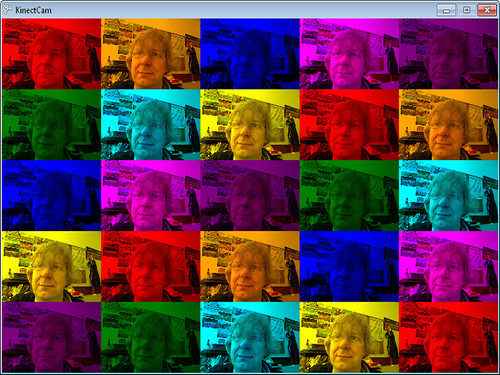
This is the output from my XNA “Kinect Pop Art” program. I’ve had it running up to 100 frames each way and it just keeps going….
I was up in the loft again today and I happened across something of great historical interest. I found a Computer Science Departmental Prospectus from 1978, the year that I graduated. I’d kept it because, ahem, I’m in it.
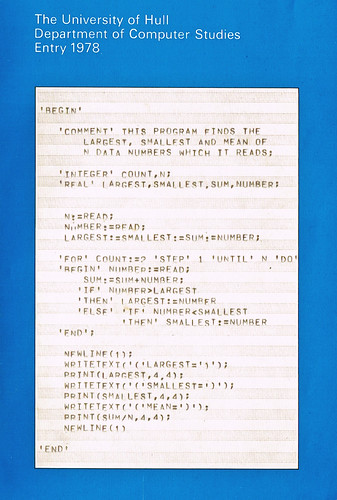
This is the cover. Any idea which language this is?
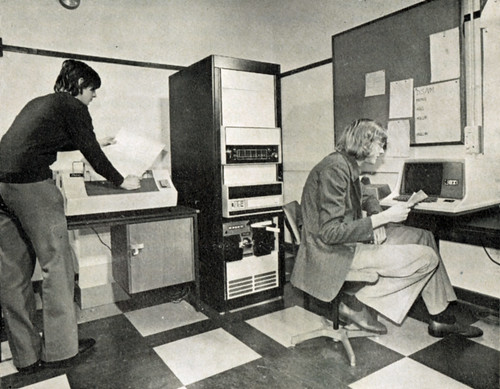
..and this is the money shot. I think I’ve probably still got those shoes somewhere. And that hairstyle….
The computer in the corner (yes, that is a computer) was a Prime machine and myself and the other chap (another prize for naming him) were allowed special access to it for our Final Year Projects. We then went onto create an unbeatable version of the “Fox and Hounds” board game that was so good that nobody wanted to play it.
Good times.
Went to see the Girl with the Dragon Tattoo today. I read the book some time back and enjoyed it. Then I read the sequel and enjoyed it somewhat less. Then I read the third book in the series and finished it because I’d paid for it and I wasn’t going to lose out on the deal.The first story is a good “Locked Room” mystery. The second, “The Girl Who Played with Fire” goes a bit nuts and the final volume “The Girl who Kicked over the Hornet’s Nest” told me a lot more about Swedish government history than I really wanted to know.
The film sticks very closely to the plot of the first book and is none the worse for it. Daniel Craig, with his Bond charisma turned down a couple of notches, is convincing as the journalist hero that no woman can resist. Rooney Mara is astonishing as the eponymous lady of the title. The book has some pretty gritty stuff in it, along with some raunchy bits as well. The film doesn’t flinch from these, although I did a bit.
If you enjoyed the book you will not feel short changed by the film. I’m not sure if I’ll watch the next two though.
Some time last year I had a silly idea for a program where you could control the colour of your phone screen by just tipping it around. I spent around an hour making the code and adding some averaging so that the colour didn’t flicker too much when you moved the phone and then I forgot all about it.
Last year, just before Christmas I thought I’d get some more applications in Windows Phone Marketplace. (this has nothing to do with wanting to pick up some more points for the Windows Phone Rewards programme of course).
Anyhoo, just had my thousandth download of what is the silliest of all the programs that I’ve made. If you want a copy for your phone, you can get it here.
If you liked the program then you might like this one too (which is quite fun but could probably do with a bit of work on the difficultly levels )
The Red Nose game was great fun to write and you can get it for free here.

I’m still working on the Kinect voice controlled human painting program. First thing I need is a shorter name…
Today I added a feature I thought would be really cool. Voice response is one thing, but I also wanted the computer to talk back when I issued a command. Adding voice output to a C# program is a doddle.
First you add the System.Speech library to the references in your solution.
Then you add the speech synthesis namespace:
using System.Speech.Synthesis;
Now you can make your program speak:
SpeechSynthesizer speaker;

void setupSpeechOutput()
{
    speaker = new SpeechSynthesizer();
    speaker.Speak("Ready to Go");
}
This is the setup method for my speech output. Whenever you want your program to say something, just call the Speak method on the variable speaker. If you are worried about slowing things down you can use an asynchronous call to speak in the background while your program runs on. Works very well. In fact too well.
I had the program repeating the commands aloud and it worked wonderfully. I would say “Red” to select the red colour and the program would say “Red” back. Then commands started repeating, with the computer saying “Red” time after time. Took me a minute to figure out what was happening. Turns out that the computer is really good at recognizing computer speech. It would hear itself say the confirmation message and echo it, and so on. I added a timeout so that it ignores things for a second after a command and all is well now.
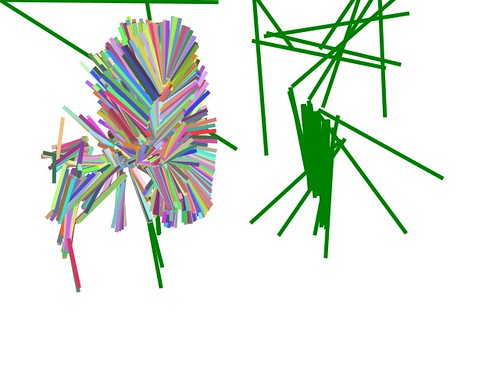
I drew these pictures myself. With myself. This is the first ever picture from my Kinect Drawing program. This lets you use your arm to draw on the screen by waving it around.. You can use voice commands to select the colour you want to draw with or you can have the random rainbow effect that you see above.
All this Kinect fun and games is in aid of a book that I’m writing, “Start Here! – Learn the Kinect API”. It should be in the shops later this year.

I also got this awesome “All Terrain Robot” kit for Christmas. Once you have spent a happy couple of hours building the individual components you can fit them together to make either a six tracked all terrain robot, a forklift truck or my favourite, the beer stealing ‘Gripper bot’ that you see above.
Actually, it can’t move a full can of beer – but it does look awesome. And I even got batteries included.

For some reason we always try to go and see the sea early in the New Year. This usually means a trip to Hornsea. Today the weather and the tide were very kind to us, and so we had a little walk down the beach and I took some snaps.

The weather was nice, but very chilly in the wind. We sought refuge in an amusement arcade.

They have these “Penny Falls” machines where you try and push pennies off the a ramp. This looks like it is good to drop, but I reckon those coins are super glued into position…
Rob Miles is technology author and educator who spent many years as a lecturer in Computer Science at the University of Hull. He is also a Microsoft Developer Technologies MVP. He is into technology, teaching and photography. He is the author of the World Famous C# Yellow Book and almost as handsome as he thinks he is.