Don't forget your internal pullups
/
Behind the magic
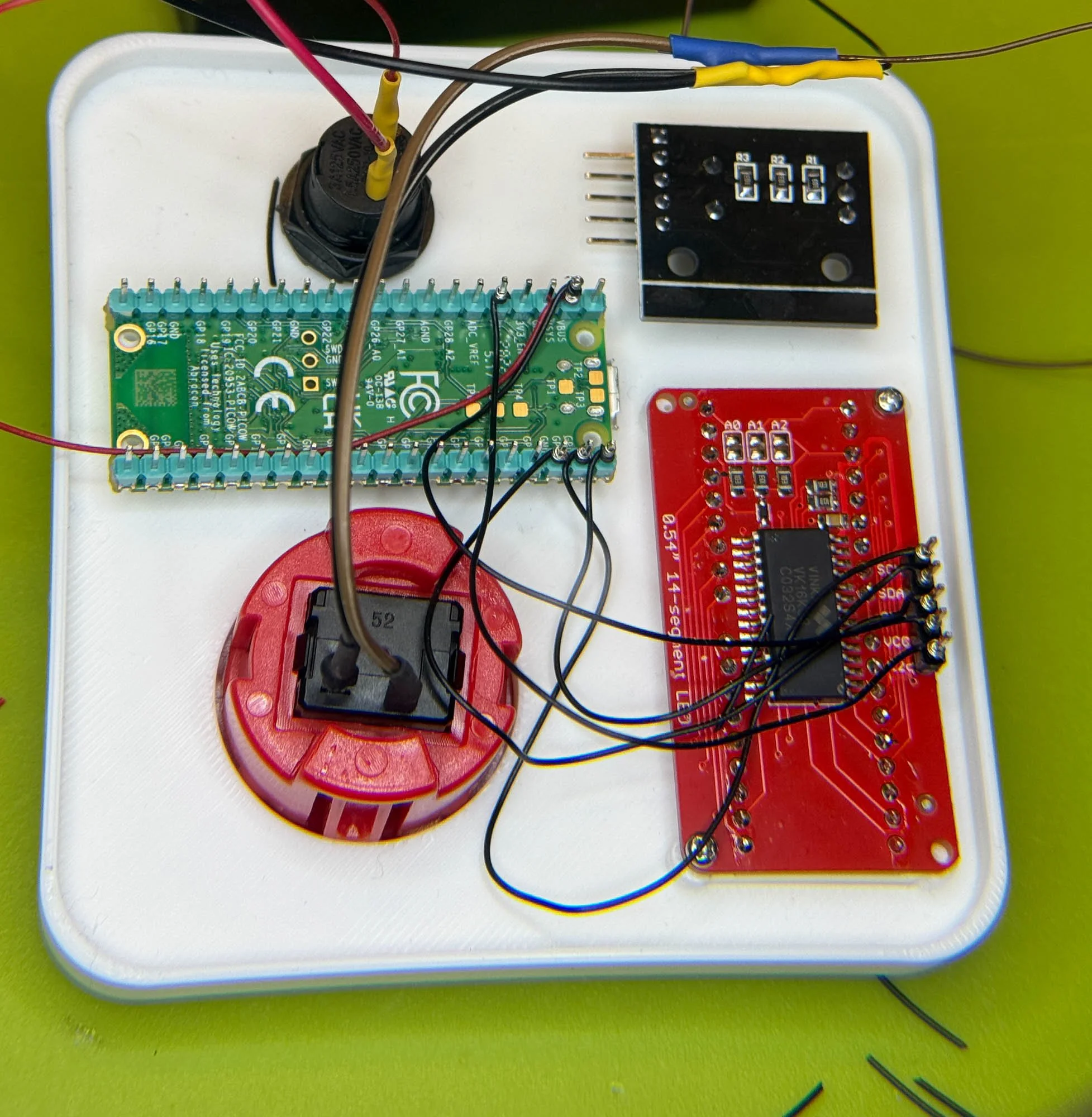
I’m wiring a big red button onto a PICO. Above you can see the work in progress. Wiring buttons is easy, you just wire the button switch between an input pin and one of the many ground pins on the PICO. It should just work . Unless you’ve used AI to write the code (like I did) and forgotten to tell the AI to enable the internal pullup on the input pin. “What’s an internal pullup?” I hear you ask (actually I don’t, but let’s keep moving forwards).
Well, the principle of the circuit is that when I press the button it connects the input pin to the ground level, causing the input to go low. But that pre-supposes that the input pin is set high before the button is pressed. One way to do this to is to fit a fairly high value resistor (perhaps a few thousand ohms) between the input pin and the power rail. That works, but it means you have to find a resistor and solder it in place. A better way is to use an “internal pullup”. This is a switched resistor inside the microcontroller which you can turn on to pull the pin high. They are terribly useful, but only if you enable them.
pin = machine.Pin(pin_number, machine.Pin.IN, machine.Pin.PULL_UP)
You request an internal pullup by adding machine.Pin.PULL_UP to the constructor for the pin. If you do have a pullup resistor on your board (some hardware makers do this) then you should turn off the internal pullup to stop the two of them fighting…


