The Magic of CallerMemberName

Oh my goodness. The things you find when you are searching for something else. While I was looking up some stuff on Model View View Model I came across a C# feature I've not seen before. It's called [CallerMemberName] and it is awesome. It has some  useful siblings too, which I'll get to in a moment. I'm dashing off a quick blog post about it now so that I can tell everyone, and also so I can remind myself how it works in the future.

CallerMemberName lives in the System.Runtime.CompilerServices namespace and it has one simple behaviour. It lets a method know the method or property it was called from. You use it as a parameter to the method, like so:

void Demo([CallerMemberName] string name = "")
{
    Console.WriteLine(name);
}

The method Demo has a single parameter which is called name. All it does is print the name out. The parameter has a default value of "" and the strange [CallerMemberName] attribute thingy in front of it. When the method runs it prints the contents of  name. So, if we make a call to Demo from within another method - like this:

public void DoSomething()
{
    Demo();
}

- the program would print "DoSomething", because that is the name of the method that called Demo. It gets better. I can also do things like this:

private int aProperty = 0;

public int AProperty
{
    get
    {
        return aProperty;
    }
    set
    {
        Demo();
        aProperty = value;
    }
}

This time I'm calling Demo from within AProperty. And it prints "AProperty".  So far, so good.  Might be fun for code instrumentation. But why do I like it so much?

Answer, if you've not figured it out already, is that one of the more painful things about creating ViewModel classes for your applications is that when you set a property you have to call a method to tell the system that the value of that particular property has changed. And you have to give the method call the name of the property that has changed. As a string. If you get the name wrong (it has been known) a whole heap of nothing happens and your display is not updated properly. If you've done any MVVM in C# you'll be nodding around now.

If we use [CallerMemberName] we can get the name of the property being updated straight from the property itself, which means that we can make a generic notifier method that works for all the properties in the ViewModel class. No more errors caused by mistyping. There's a nice description of that part here. 

There are a couple of other "Caller" features you can use that work in exactly the same way, and might be fun to play with:

[CallerFilePath]
[CallerLineNumber]

They are fairly self-explanatory. 

Great fun. 

The Five Knows of Programming

I've been teaching programming for a very long time. I'm still waiting to get properly good at it. In the meantime I'm given to thinking about what it means to learn how to program. I've narrowed it down to five "knows".

  1. Know what the computer does.
  2. Know how to create a program.
  3. Know how to automate a task that you yourself can perform.
  4. Know how to think like a computer.
  5. Know how to structure and manage your solutions.

I've been teaching the First Year course for the last few weeks and I reckon that we are at level 3 at the moment, moving on to level 4. This is a crucial time.

At "Know level three" you can take something you would be able to do yourself and write a program do perform that action. One example we do is deciding whether or not you can see a particular film. If your age is lower than the rating for that film, you can't go in. When you write the program you can imagine yourself selling tickets and deciding whether or not people can come in.

Level 4 is quite different. You have to let go of how you would do a task and try to think how you could make a computer do it. Sorting is a classic example of this. If you gave me 20 numbers to put in descending order I'd be able to do it, but I'd not really be able to tell you how I did it. To write a program to sort 20 numbers you would make it do the task in a way that a human never would (for example bubble sort). This is the hardest part of programming. Up until you hit level 4 you can think you are doing very well. Ifs and loops make sense, as do variables. And you've even written the odd program. And then wham, you suddenly find that you can't do it. And I mean really can't do it. This can be very painful and demoralising.

Today I did a tutorial with the students where we explored the transition from level 3 to 4. The best advice I have on this matter is not to stress if the penny doesn't drop first, second or third time. Don't think of it as a technical problem (I must re-read my notes so that I understand arrays better) but think of it as a "way of thinking problem".

Work with what you know a program can do (stash things in arrays, get them back, work through elements, compare values and do things with them etc) and then try to figure out how these abilities can be used to solve the problem.

Consider lots of related problems: find the biggest item in an array, find the smallest in an array, count how many times the value three appears in an array etc etc and notice how fundamental behaviours (working through the elements of the array in sequence) can be used to solve a whole class of problems. Don't worry if your answers seem complicated to you. You get better with practice, and some things are just tricky to do.

I learned to program a long time ago, but I still remember the worry of "What if I don't get this bit" every now and then. Your best bet is to start early, find friends to discus it with and keep the focus on what you are trying to do. And you'll be fine.

Going Bananas for the 2015 C# Yellow Book

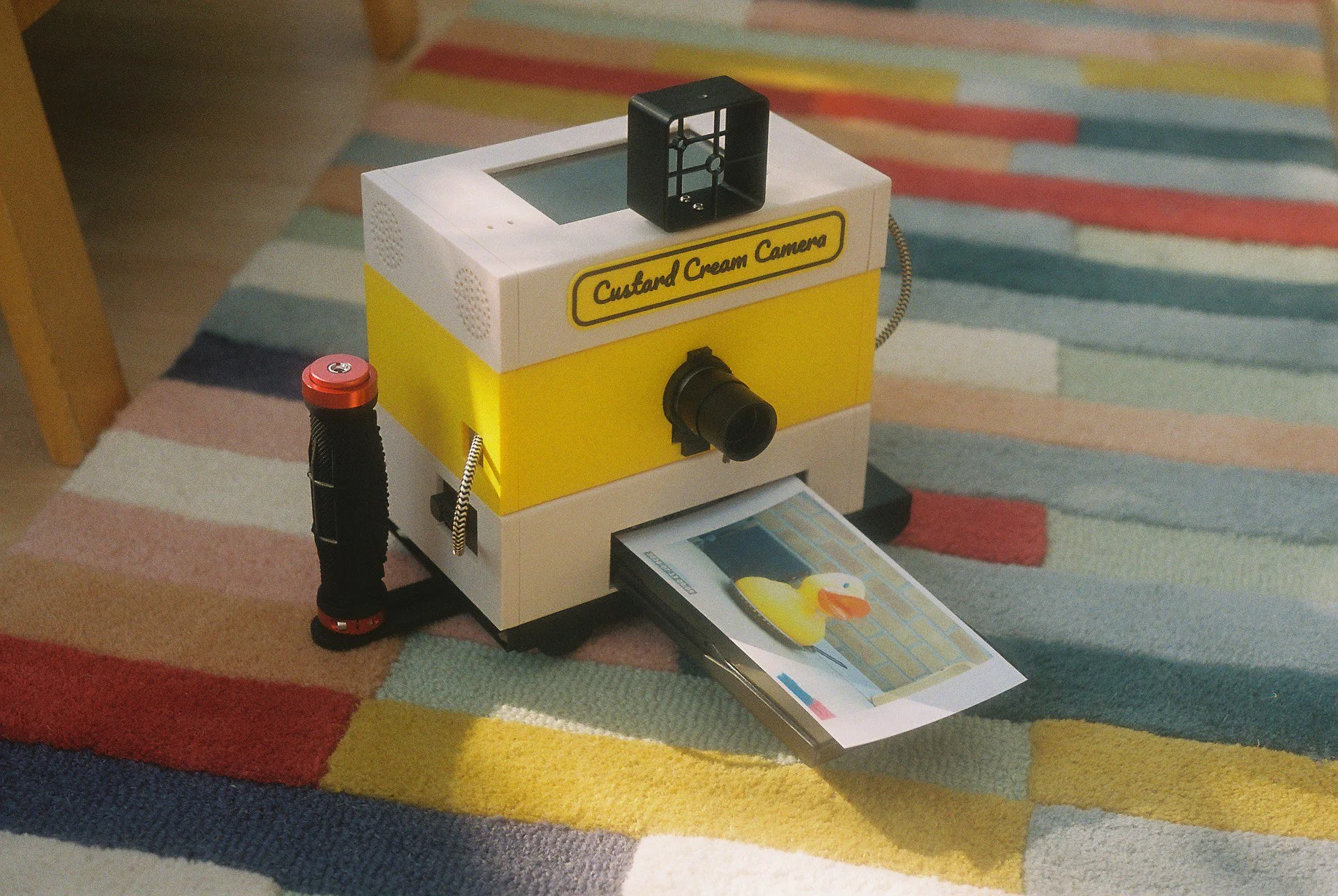
Every year I make a new version of the C# Yellow Book. And recently I've been putting something yellow on the cover. This year I thought I'd go for banana, what with it being custard last year. I took some pictures of a single banana, but these didn't end up looking to good to be honest. So I've gone for a bunch.

The text has been tidied up a bit and I've added links to the code examples that you can now get to go with the text. It will be going to print for our new First Year in a couple of days, and then I'll update the PDF on csharpcourse.com.

Coding Conundrums

We've been running the "Wrestling with Python" sessions again. Each Tuesday we get together with some local teachers and continue the process of getting up to speed with the Python language. We've reached the point where we are having a go at programming puzzles. And it is proving quite fun.

I've put the "Coding Conundrums" up on the Python site so anybody can have a go. You don't have to use Python, in fact I'm sending the same puzzles around our department to give folks some programming puzzles to get their teeth into. I reckon that programming is something that you have to work at continuously if you want to get (and stay) good at it. Bit like learning a musical instrument.

I'm also starting to properly like Python. Most of my Python programming takes place in the forbidding environment of the FreeCad graphic design program. I've got no debugger, scant error messages and Python programs can be terribly "brittle", in that a small mistake can cause them to shatter into a million pieces. But I must admit I'm really liking it.

Formatting Code Listings in Kindle Books using the Html Agility Pack

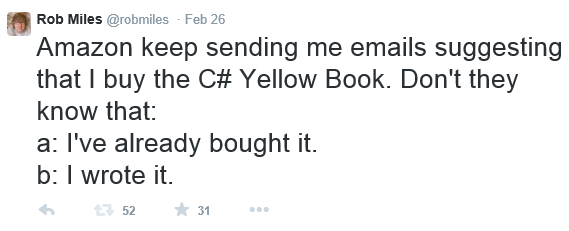
Well, that could have gone better. I got an email from Amazon suggesting that I buy a copy of the C# Yellow Book.  I get these from time to time, and this time I thought I'd tweet about it as above.  It turned into a very popular tweet (for one of mine).

Anyhoo, with my ego nicely built up I thought I'd took a look at the Amazon page for the book. And I found a 1 star review which noted that they would have liked the book a lot more if all the code samples were properly formatted....

Oh dear. Turns out that if you view the book on your iPad or iPhone the code samples all get printed on one line. I thought I'd checked this, but apparently I hadn't. So I did some digging. 

Kindle books are basically HTML documents, a bit like web pages. Like web pages, if you want to tell the renderer that you have already formatted the document you can use the <pre> </pre> enclosure to mark text that already has a layout. You can put code samples into text without their layout being damaged. 

But there is another way to do this.  You can add "white-space: pre-wrap; " to your styles for the pre-formatted text. This works fine on Kindle devices, Android devices. But not iOS devices.  Guess which technique I'd gone for. My reasoning was sensible enough, I wanted to add other stylistic touches to the code samples (a grey background for example) and it made sense to do it all in once place. But it didn't work.  Stupid me.

I had around 200 pages of text with lots of code samples, all of which were wrong. And a broken text up on Kindle that I really, really, needed to fix quickly. So I did some digging and came across the Html Agility Pack on CodePlex. This is completely wonderful. 

It provides a way of reading in a large HTML text and then traversing the notes in the document and fiddling with them.  Turns out all I needed to do was load each of the chapters and then do this:

void processNode(HtmlNode node)
{
    foreach (HtmlAttribute attribute in node.Attributes)
    {
        if(attribute.Name == "class" && attribute.Value == "CodeExplained")
        {
            node.Name = "pre";
            attribute.Value = "CodeExplainedPre";
            debugString.AppendLine(node.InnerHtml);
        }
    }
    if (node.ChildNodes != null)
    {
        foreach (HtmlNode childNode in node.ChildNodes)
        {
            processNode(childNode);
        }
    }
}


This starts at the base node and then looks for anything with the class CodeExplained. It then changes the name of the node to pre (for pre-formatted) and changes the attribute to CodeExplainedPre. 

It is not very elegant, but it does use recursion. If a node contains any child nodes it calls itself to sort those out too. I was going to figure out the structure of the document and only target the page for fixes, but I was in a hurry and this code meant I could reformat the document and make it to the coffee break in time. 

Note: There are probably lots of much cleverer ways of doing this using the Document Object Model or regular expressions or something. But at least this worked and got I was able to get the fixed version up on Kindle within the hour. 

HTML Wrestling

thread.PNG

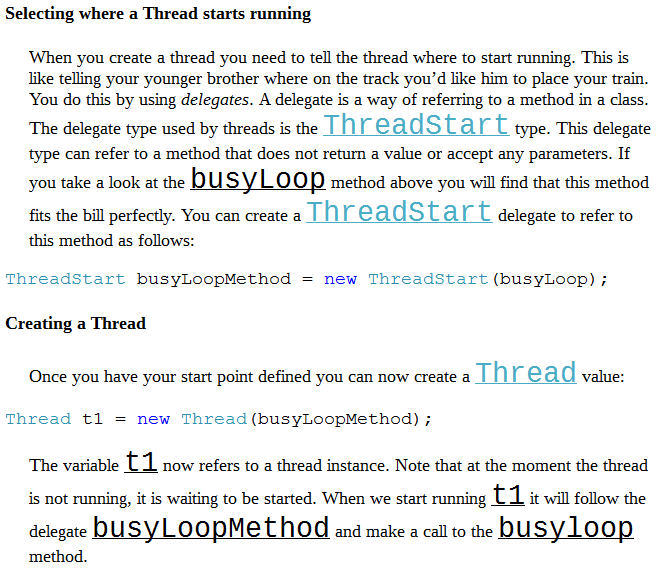
I'm presently working in a much improved Kindle version of the World Famous (in my world) C# Yellow Book. Because the book has been written and upgraded over a number of versions the text formatting is a bit of a mess behind the scenes. It's taking a while to sort out.

I changed the style-sheet to make it a bit easier to see the code embedded in the text and got a preview page that I quite like above. With a bit of luck it should be finished in a week or so.

Programming At Hull Web Site

Over the last couple of days I've spent some time adding content to our WhereWouldYouThink web site. This is a site that has lots of stuff that might be useful to students in general and computer science students in particular.

I'm trying to rationalise some of the support materials that we have for programming and I've attacked the problem in the only way I know how.

I've bought another domain name.....

I've set up a microsite at the address programmingathull.com. This brings together all the stuff that we've put together to help folks learn to program. This includes the wonderful C# Yellow Book and Arduino and Python content. If we make anything else useful we'll put it there too.

Updating the C# Yellow Book

Yesterday I got an email from Amazon telling me that readers had spotted some spelling errors in the Kindle edition of the C# Programming Yellow book. They are quite right. The errors crept in when I used the Amazon system to convert the word file into an eBook. They've been bugging me for a while.

Not that the errors have&nbsp;stopped my book becoming a best seller......

Not that the errors have stopped my book becoming a best seller......

Anyhoo, I've decided to fix these pesky errors once and for all. I'm doing a new conversion of the text, moving it by hand from Word to HTML, and thence to Kindle.

Lots of things about the layout of the first version of the book didn't translate well into eBook format, hopefully the updated version of the text will be easier to read. It should be out in a week or so, once I've reformatted the text and tidied it up.

There's also some shiny new content that I've added to bring things up to date. 

Birthday Bluetooth

It's my birthday today. I had my treat over the weekend and am now saving up for a Segway (just about doable) and a twenty acre estate that I can use it in (pretty much impossible). So I'm here in the office, eating chocolates and writing C#. Which counts as a pretty good situation in my book. 

Anyhoo, I've been playing with a present I bought myself last week. It is a Texas Instruments SensorTag. You can pick these up for a very reasonable sixteen pounds or so and they are enormous fun (if you like connecting devices to sensors). It talks Bluetooth BLE and I've fancied having a go at this for a while.

Turns out to be easy to get it to connect to a Windows 8.1 device. Just remember that for Windows you have to pair the tag over Bluetooth. It just works with iOS and Android - I hope that they remove the need for pairing with Windows at some point. 

If you fancy having a go I've written a very simple universal app and put it on GitHub. You can use this to connect to the accelerometer in a SensorTag and get events fired in your program when a new reading is produced. 

I used a superb post from Dan Ardelean to get started, and just built a little wrapper class around methods that he described.  Great fun.

Scary Things You Shouldn't Do

One of my programming rules is that "just because you can do something, doesn't mean that you should". Take this piece of magic for example:

This is a lump of XAML, the code that you use to design the user interface for a Windows application. It tells the computer what the display will look like and defines display objects which link to the underlying code that provides the behaviours.

Except that it turns out that you can actually put code into your XAML, along with the display markup.

You should never do this. But I guess that knowing about it is cool. Find out more here.

Finding out my "Hacked to Properly" Ratio

Spent quite a big chunk of this evening discovering that code you write during a GameJam is not actually the most solid of stuff. I've reached the point where I'm piling dirty hacks on top of horrible code to try and get something almost working. Oh well, it looks like the time for a total rewrite is here.

The good news is that I can take all the ideas and stuff over to the new design. The bad news is that I'm going to have to do it. Mind you, at the end I can probably work out my "Hack to Properly" ratio. This is the ratio of time it takes to hack something together vs the time to do a proper job. The code took around a day to write first time. Lets see how long it takes to write the new one.....

Windows Phone, Wedding Lights and Bluetooth

Windows Phone connected Wedding Lights. Eight synchronized lights which can be controlled over Bluetooth. Each light contains an Arduino processor and a 16 NeoPixel ring.

I've finally finished it. I was going to write an article about my Windows Phone Controlled Wedding Lights. But instead I thought I'd do something different. So I fired up Adobe Premier and I made a video about them instead. It only lasts a couple of minutes, but boy was it complicated to make. Anyhoo, feel free to take a look and let me know what you think.

I've done something else I've not done before (and I feel a bit guilty about this one). I've put the Bluetooth code for Windows Phone 8.1 and Windows 8.1 up on Codeplex. I'm ashamed to admit that this is the first code that I've ever posted there. I really should have been posting stuff up there earlier. I'm determined to post more stuff as I come up with it.  

You can find a sample project (my Bluetooth Printer) and the BluetoothManager class that I used to communicate with the embedded Bluetooth controller. There are also details of how to configure the Bluetooth device and send and receive data. 

Wrestling with Pygame and Cheese

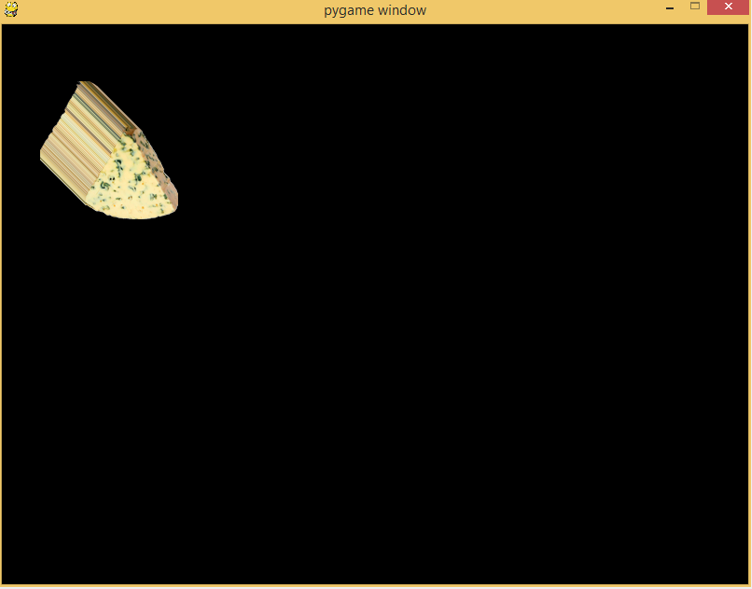
This pictures is entitled "Unsuccessful Cheese Movement Number 1"

This pictures is entitled "Unsuccessful Cheese Movement Number 1"

The "Wrestling with Python" sessions on Pygame are progressing well. Today we got some cheese moving around the screen under keyboard control. Next week we will add some more sprites and get some proper game action going. You can see on of the first attempts at moving things above. Perhaps we should clear the background after each draw.....

It occurred to us (in a rather nervous-making way) that we are exactly four weeks away from the big event on campus when folks are going to come in and make and show off games. But everyone is learning stuff and having fun, so actually I'm quite looking forward to it. 

If you want to find out what we have been doing you can download the content from here. 

Making Screencasts the Hard Way

Having the house to myself this morning I thought I'd record a video of the 08120 Programming 2 Exam walkthrough. I try to remember to make these when I've finished marking the papers. I can cover lots of the questions that folks might have about the right answers and I like to do this when the marking issues are still fresh in my mind. 

Of course it wasn't as simple as I expected. I hadn't done a video for a while, so I had to find the headphones and the microphone, install Camtasia (my favourite program for recording stuff), find that the headphone and microphone weren't working and that sound playback was also broken. Fix all that, set the screen size to work properly, create a PDF that I can browse through and finally, after half an hour of faffing around, get to sitting down and recording something. 

And I thought that modern technology was here to make life easier....

Making a quick Batch File

batchFile.PNG

It's not often that I get to show off my Command Prompt smarts. But now and again they are useful. The Command Prompt is the place in Microsoft operating systems where you type, er, commands. In the days of MS-DOS it was the only way that you told the computer what to do and it has survived, mostly unscathed, all the way into Windows 8.1 

Of course, in these days of touch and windows you don't often have to give commands at the console, but every now and then you do, and today I got to show off a trick that I've used for years. We were typing in long commands to start up services in the Microsoft Robotics Framework and I suggested that we make a batch file rather than type everything in each time. You can use the "up arrow trick" (press up arrow to get the previous command) but that doesn't work if you close the command prompt and re-open it, as this clears the command buffer. 

A batch file is simply a sequence of console commands that are stored in a text file and can be executed just by giving the name of the file. It has the language extension ".bat". You can run them from within Windows too just by clicking on them. 

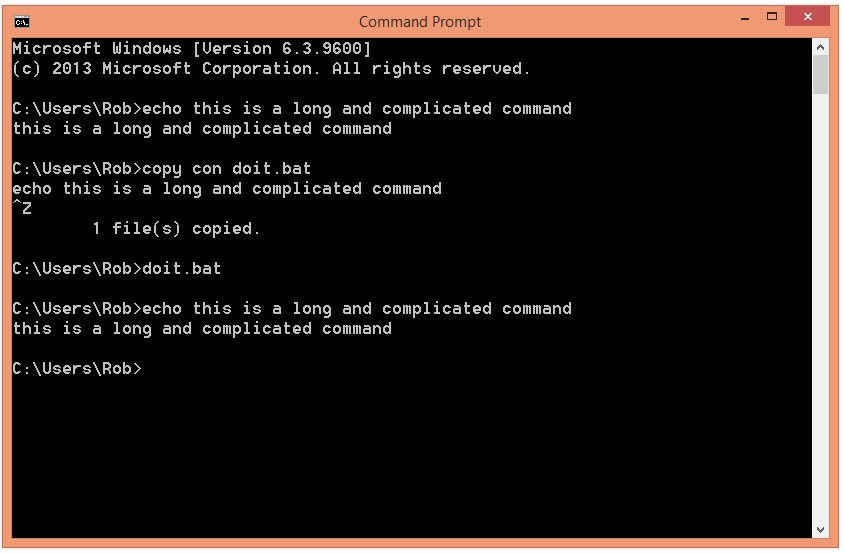
What you can see above is a way that you can take a long and complicated command that you have typed in and convert it into a batch file.  You use a few tricks. First trick:

copy con doit.bat

This connects the console (your keyboard and screen) to a file called doit.bat. Essentially, everything I type from now on will go into this file. 

Second trick:

(press up arrow to get your command)

Remember that I said you can press up arrow to get back things you have previously typed. This works when you are copying into a batch file too. So to my recover my echo command in the above screenshot I just pressed up a few times. Once I had the command on the screen I just had to press Enter to put the text into the batch file. Note that if you want to enter a sequence of commands that you have typed into your batch file you just have to recover each one in turn. 

Final trick:

^Z

This is CTRL+Z. It tells the command prompt you've finished entering stuff into the file and want to return to typing commands. The destination (in this case the file doit.bat) is closed and then you can just run the batch file by giving the name. 

The console is a powerful thing in the command prompt. You can copy things to it (which can gives a behaviour similar to typing a file) and you can copy things from it. You can also do stupid things:

copy con con

This works, I'll leave you to figure out what it does. And how to get out of it. 

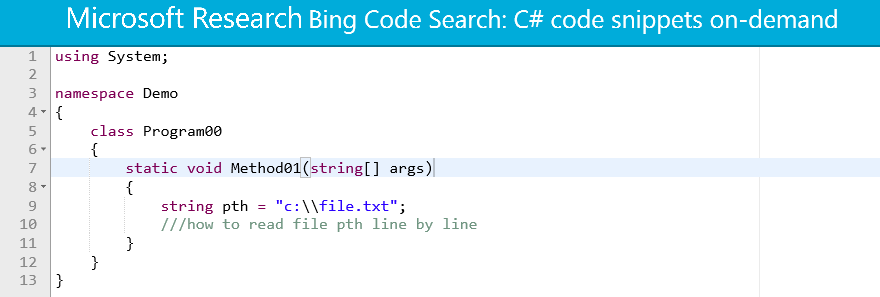
C# Code Snippets on Demand

Snippets.PNG

This is kind of neat. Rather than have to jump out of your IDE to find samples of how to use language and API features, you can just put the question into a comment and hit tab. 

It is a bit hit and miss at the moment (and doesn't know anything about XNA) but it would be a very interesting future development of my favourite place to work.... Have a play yourself here. 

What does ?? mean in C#

WP_20130829_17_11_38_Pro__highres.jpg

I sent out a tweet asking folks if they knew what the ?? operator in C# does. Quite a few people did, which was nice. For those of you that haven’t heard of it, here is my explanation.

If you are a C# programmer you will know about references. The way that C# works, a variable can be managed by value or reference. A variable of value type is stored in a location in memory. For example:

int i;

This creates an integer variable called i. When the program runs the system will decide where in memory the variable should live. You can think of computer memory as a whole bunch of numbered locations. Because that is what it is. Perhaps the variable i could live at memory location 5,000. Then when we write the code:

i=99;

The effect of this is to put the value 99 in memory location number 5,000

So, if I write code like:

j = i;

This would copy the value held in memory location 5,000 into the location where the integer variable j is stored.

This is how value types work. Whenever we do an assignment of a variable managed by value what happens is that the value is copied from one memory location to another.

So, what about values managed by reference? Well, in these there is a level of indirection between the variable and the actual data. Suppose we have a class called Account, which is managed by reference.

Account a = new Account();

This statement makes a new account variable and then sets the variable a to refer to it. The variable a will hold a reference to the new Account. Perhaps the new Account will be located at memory location 10,000 which means that the variable a (which might be stored at location 6,000) will hold the number 10,000 – because that is where the Account instance is stored. The Account class might have a Name property, so I can write code like:

a.Name = "Rob";

When the program runs it will go to location 6,000 (where a is stored) and read the number out of there to find out where the Account is. In this case the variable a holds the number 10,000 and so the program will go to the Account there and set the name.

So if write code such as:

Account b = a;

This creates a new Account reference called b which refers to the same Account instance as a, in other words it will refer to location 10,000.

So, in the case of the value the information is just there in memory, but for a reference we have to go where the reference refers. With references you can also set them to null:

a = null;

This has the effect of putting a “magic value” in the variable a that indicates it really points nowhere.  It is a way of saying “this reference does not point to any object”.

The null reference is often used in programs to indicate that the thing you asked for could not be found, or hasn’t been made yet, or doesn’t matter.

This “nullability” is so useful that people wanted to be able to make values “null” as well. So they invented one.

int? ageValue;
The addition of the question mark makes an integer variable (ageValue) that can be made null. For example, the bank might store the age of a customer when it is important (when the age is less than 20 say) but once a person reaches a certain age, from then on the age is completely irrelevant to the system. They can mark the ageValue as null to indicate this.

ageValue = null;

Programs can also test for null

if (customerAge != null)
{
// Stuff you do if the age matters
}

In XNA you often find nullable value parameters being sent to method, so that the method can know to ignore them.

So, I’ve been writing for what seems like ages, and I’ve still not explained what ?? does.

Well, ?? provides a convenient way that I can map the null value of a nullable variable onto a specific value

int actualAge = customerAge ?? -1;

It saves us having to write code that tests for null and sets a value appropriately. The above statement sets the value of actualAge to the value in customerAge unless the value in customerAge is null, in which case it sets it to –1.

if (customerAge == null)
actualAge = -1;
else
actualAge = customerAge;

In other words ?? is a short form of the above test.

Going to Hacked

image

Next weekend we are off to Hacked. I’ve managed to get hold of a couple of tickets so myself and number one son will be taking our places with lots of other developers who want to make something silly/awesome/fun. I’ll be taking my lovely Lumia 920 along and targeting the Windows Phone platform, along with a bunch of gadgets and other things that we can use if mood takes us.

I’m really looking forward to this. The plan is to try and last through Saturday night. But I’ve booked a room in a nearby hotel just in case…..