FreeCAD Python Indent Settings
/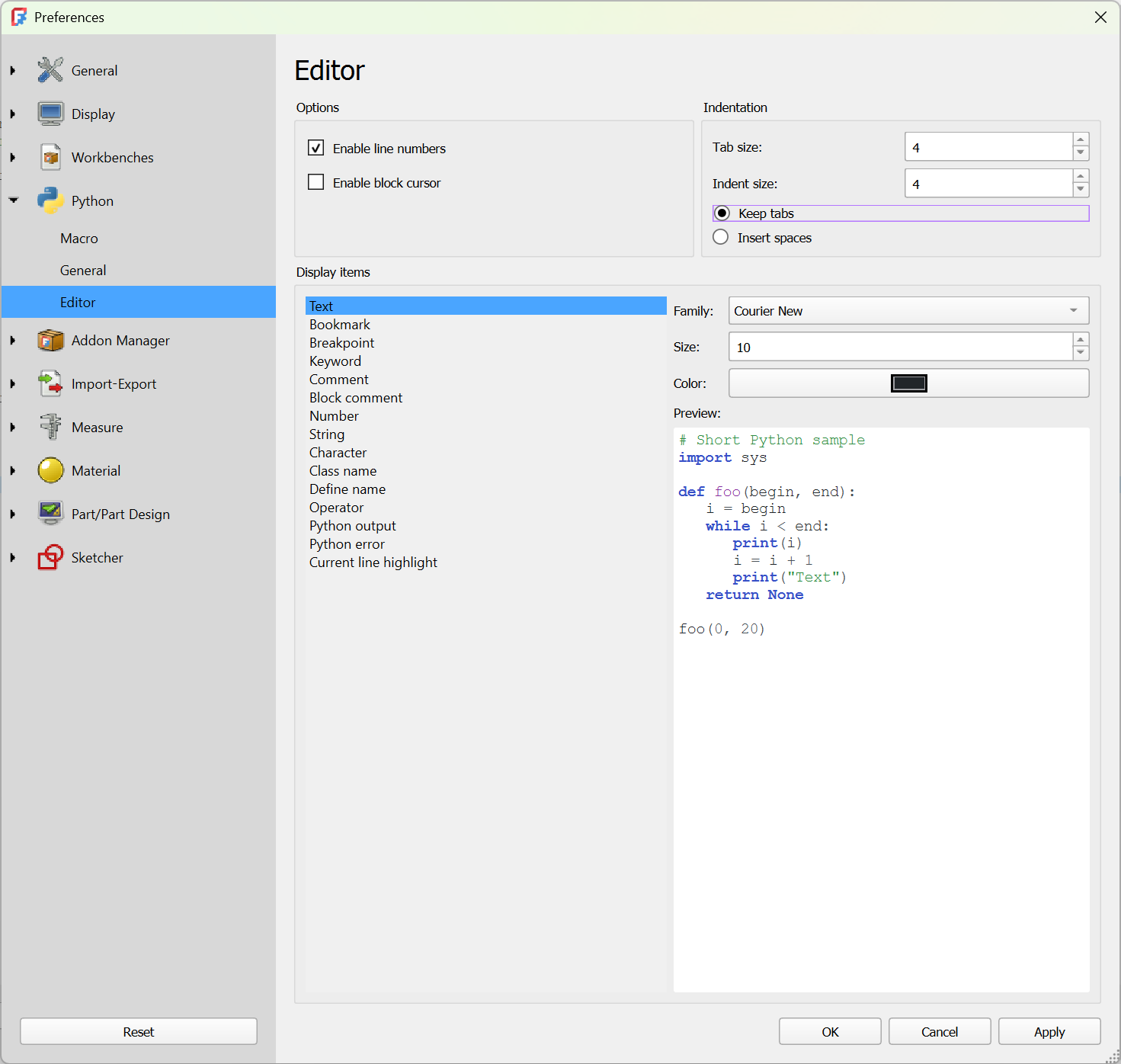
Make sure that “Keep Tabs” is switched off
Layout is important in Python. How code is indented tells the compiler when code runs. You can indent your program text using tabs or spaces but you need to be consistent about this. Otherwise you will get impossible errors telling you that some of your code is wrong when it looks exactly right on the screen.
By default the Python editor in FreeCAD uses tabs to indicate indents. However, lots of other programs don't. If you use something like ChatGPT to make some code to paste in your FreeCAD program you might have lots of indenting errors when you try to run it. Or at least, I did.
There's no neat solution to this but you can make your life much easier by telling FreeCAD to use spaces for indents, rather than tabs. You can do this on the Edit>Preference menu at the Python Editor tab. This lets you set tab and indent sizes. Change the setting from "Keep tabs" to "Insert spaces".