For the price of a video game you can now get a device running a Large Language Model. Its made by M5Stack who seem to specialise in taking interesting technology and packaging it up for us to play with. This means you can have a self-contained unit the size of a matchbox which can understand and answer your questions without needing a network connection. Everything happens on the device. Embedded ChatGPT is becoming a thing. Although it is not quite as good yet.
In the UK you can get one from PiHut. At time of writing they had six left. Search the store for LLM. Things get a slightly more expensive when you realise that you also need an M5Stack Core module to control the LLM, but you might already have one of those lying around. I got myself a Core 2 device because most of my M5Stack Core modules are pretty old. The Core sits on top of the LLM and provides a touch screen and display. The LLM also has a microphone and speaker with “wake word” support.
The LLM device contains a fairly powerful CPU (which apparently came from some night vision goggles) paired with 4G of RAM and 32G of storage. It delivers 3.2TOPs (whatever that means) and comes with the Qwen2.5-0.5B LLM pre-installed. Other models are promised for later.
The M5Core device fits on top of the LLM and connects to a standard M5STack multi-pin connector which sticks out of the LLM. As the name implies you can stack other layers underneath if you want to. I’ve seen pictures of a base for the LLM which contains a wired Ethernet port but I’ve not seen it for sale anywhere. The LLM will unit will run freestanding, although I’ve no idea how you would get it started. You tell the LLM what to do via a serial connection. The M5Core device on top can run Arduino or UIFlow programs to send commands.
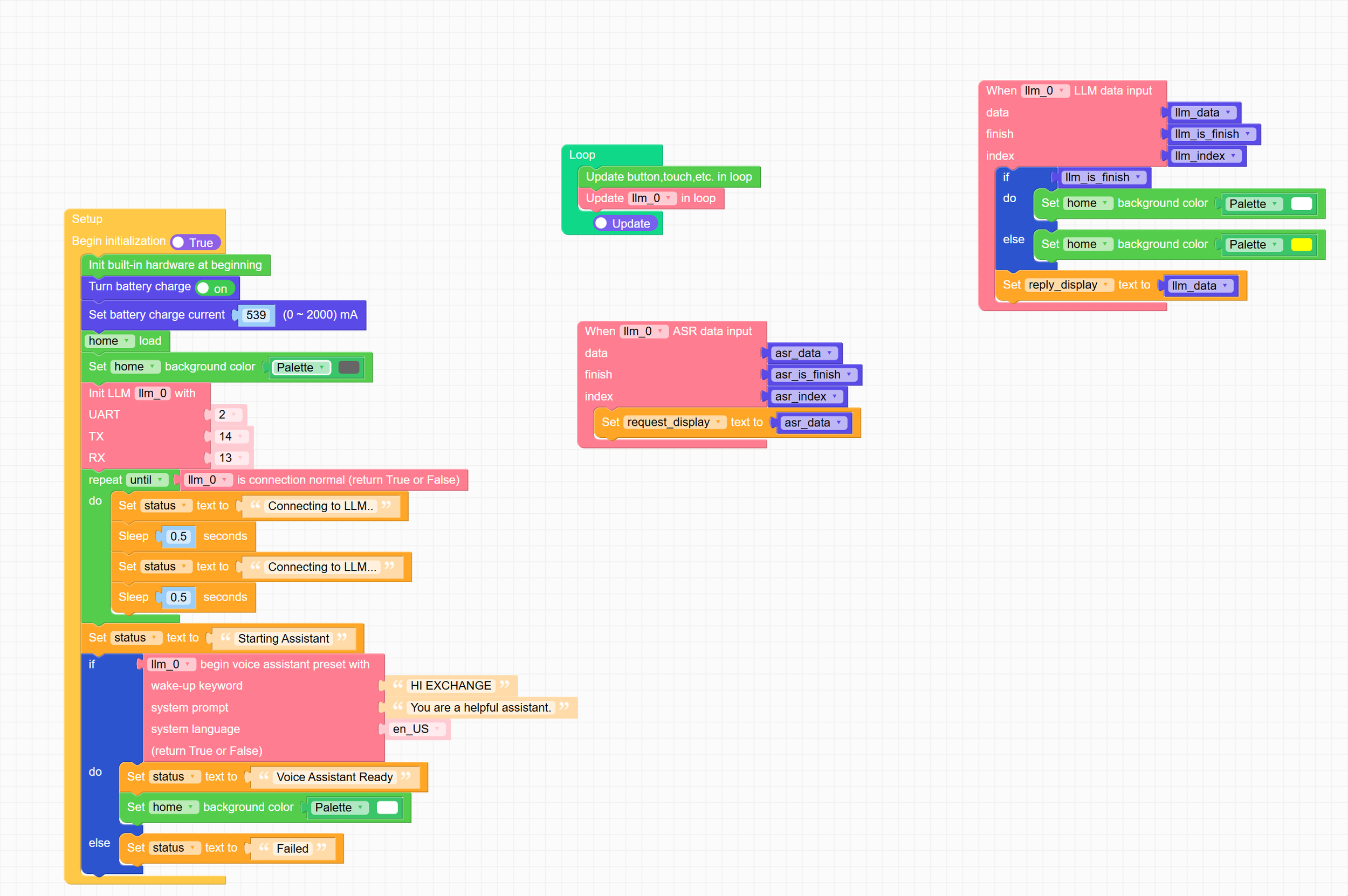
I had all kinds of fun getting the fancy UiFlow programming environment to work on my M5Core 2 so that I could use it to tell the LLM what to do. First I had to flash the firmware for Flow 2.0 into the Core 2. Then I had to bind it to my account, then I had to browse for it in the IDE, then I had to find that the device wasn’t recognised, then I had to scratch my head for a while and then I had to install the earlier version of the firmware to finally get it to work.
Then I had to enter the UiFlow block programming code. For some reason the sample programs are tightly bound to the M5 S3 version of the Core and if you try to change this it throws everything away. Very frustrating. Then I found that simply by connecting Thonny to the device and deleting boot.py from it you can get to write and deploy MicroPython and it just works (although resetting it can be a pain). The UiFlow environment is just a wrapper for a bunch of MicroPython. You can ask the IDE to show you the Python source, copy it out of the web editor, paste it into Thonny and away you go. The only change I had to make was to configure the serial connection to the LLM module:
llm_0 = LlmModule(2, tx=14, rx=13)
These are the numbers that worked for a Core2 device. When I finally got it running the results are pretty impressive. The model is small and it doesn’t know a huge amount. It thinks the earth is one million miles from the sun. However, it does work and response times are fine. I’ve printed a base from here and fixed it to the bottom of the stack so it now looks fully formed. I have to power it from a USB power supply but it works fine from that. At the moment I’m running a very simple Python script in the Core2 but I plan to add a bit of richness.