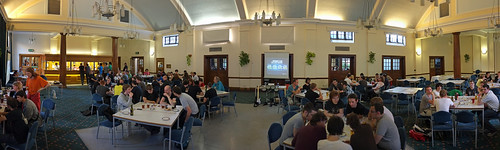
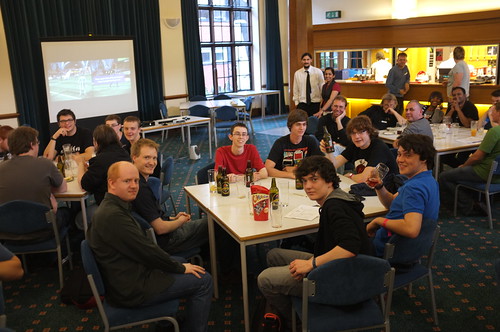
Three Thing Game is Full

ThreeThingGame Logo Full

I told the First Year C# lecture about Three Thing Game this afternoon and loads of them signed up. Well done folks. We are pretty much full now, with 23 teams in the mix. I’d planned for 15, so we are going to have to spread out into extra labs around the place. I’ll be assigning spaces to teams and asking you if you are bringing your own kit.

I’ll be doing some sessions about XNA and Windows Phone Game development next week in the lead up to the 24 hour development on Saturday. Some things to bear in mind:

  • You can work on your game and assets in the run up to the 24 hour session.
  • We will have some folks around to give you help overnight (including me)
  • The best approach is to start with something simple that works and then add assets and behaviours. I’ll be giving out some sample code next week that will help.
  • I expect everyone who makes something to put it out there, either via the Xbox Live Indie games or Windows Phone Marketplace. Anyone who gets a game out there is guaranteed a place at the next Three Thing Game in March next year.

This is our biggest ever event. We will need even more Pizza. I hope it will all fit in the van..

The Return of Three Thing Game

robmiles.com

We are running another Three Thing Game development at the end of October. These are open to any Hull University students who fancy having a go at some intense game development.
The "things" will be assigned to the teams on Monday 24th of October, with an overnight development session from 29th to 30th of October. We even get an extra hour thanks to the move from BST to GMT, which might prove crucial.

Registration is open now, you can find a registration form here.

We are searching out some bumper prizes for the winning team.

Final Nokia Windows Phone Day

We did our final day today at the Emirates stadium today. Another great audience, with some properly detailed questions. Of course I took some photos.

DSCF4303
Underground Station

DSCF4310

That must be our train…

DSCF4332

Branded Water

DSCF4325

Funky keyboard

DSCF4324

Master Plan

DSCF4335
Some of the audience looking suitably impressed.

There are more pictures on Flickr.

After a good day of content we headed out. Thanks to the Nokia folks for making us so welcome at each venue (and there have been some great venues). Also, huge thanks to Andy and Gregg, a pleasure to work with you guys, and a big shout out to Stephanie who basically kept all us ducks in a row…

London Nokia Windows Phone Training

DSCF4189
Heading for the Emirates Stadium.

Today we started what will be our last Nokia Training event for Windows Phone. This one was rather special though, being based at the Emirates Stadium, home of The Arsenal football team. As well as doing our training, a chance of a trip around the ground was in the offing.

DSCF4228
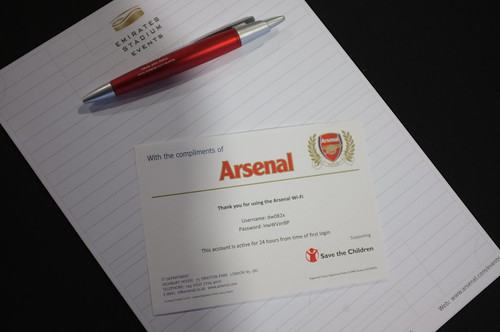
They even had Arsenal branded WiFi access (this one has expired now…)

DSCF4239
The Hallowed turf

DSCF4267
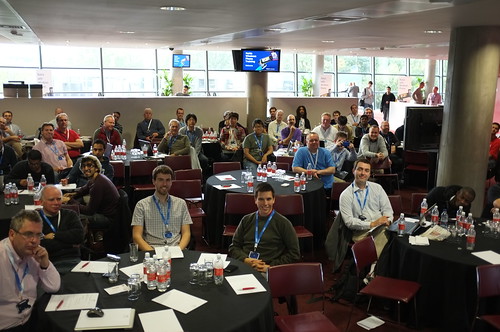
Some of the delegates, more on Flickr. I’ll stitch a panorama when I get home, not got the software on the tiny laptop.

DSCF4272

Free Beer in a football stadium, what could possibly go wrong…

We had some lively discussions and I hope everyone got something out of the day. In terms of resources I said I’d put up links to the content. Here we are:

You can get all the content, slide decks and more, from the Jumpstart web site here:

http://borntolearn.mslearn.net/wpmango/m/mediagallery/default.aspx

The ones you want are:

01 Mango Building Phone Apps
02 Mango Intro Silverlight
03 Mango Advanced Silverlight
05 Mango FastApp Switching
11 Mango XNA Winphone
12 Mango Selling applications

There are also other decks and samples you might find interesting. If you want to watch videos of Andy and myself delivering this content (and who wouldn’t) then you can find them on Channel 9 here:

http://channel9.msdn.com/posts/Mango-Jump-Start-01-Building-Windows-Phone-Apps-with-Visual-Studio-2010

You can find the Tidy ToDo application here. To use the WCF server project you have to have IIS installed on your machine and you must start Visual Studio in Administrator mode:

https://skydrive.live.com/redir.aspx?cid=a4ce6a659fd80c02&resid=A4CE6A659FD80C02!1482

If you want to learn C# from the same text that we teach our students with at Hull, take a look here:

www.csharpcourse.com

There is also a copy of the Windows Phone 7.0 Blue Book there, which has some background on phone programming that you might find useful.

Harry Harrison on Kindle

DSCF4169

Riding on the train down to London today I was delighted to find that I can now get Harry Harrrison books for Kindle. Including the “Stainless Steel Rat” and my personal favourite “The Technicolor Time Machine”. One of the great questions of the age is “Why have no Harry Harrison books been made into films yet?”. His stuff reads like movie scripts in many ways and is just so darned well written and amusing that it really should be on the big screen.

If you like fast moving Sci-Fi with a humorous twist then you should get a one of his books and have a read. I’d recommend “The Stainless Steel Rat” for starters. Great fun.

Open Day Woo Hoo

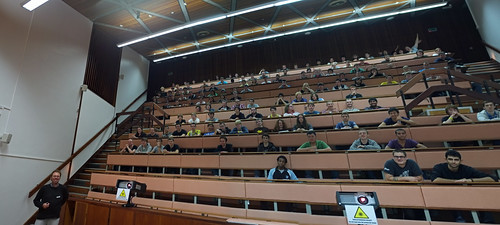
Complete Audience

This was a great audience. I even had folks going “Woo Hoo” whenever I said robmiles.com….

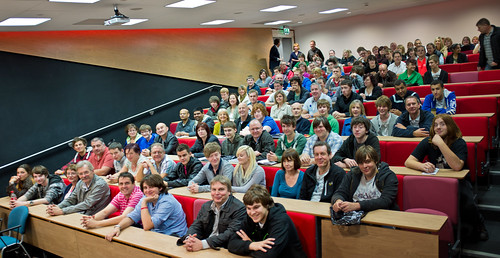
We had our first University Open day on campus today. Great fun and an amazing turnout. By the time I started talking we had the whole lecture theatre full. Thanks so much for coming, I hope that the trip was worth it. Sorry about the jokes…

Anyhoo, if you did come – or if you didn’t – here are some useful links

www.csharpcourse.com will take you to the C# Yellow Book pages. You can download our complete First Year text from there as a PDF. Come to Hull on an admissions visit and we’ll give you a printed copy.

www.destructiongolf.com is the site for our first 24 hour programming competition. It includes a link to the 360 magazine article that was written about the event.

www.threethinggame.com is the site for our second competition. This includes videos from all the teams about their entries.

www.wherewouldyouthink.com is the site for admissions, I’ll be updating this soon with departmental news and other stuff.

Goodbye Steve Jobs

I was taking a tutorial with the First Year this morning and I was talking about how difficult it is to make something that is easy to use. When you try to add a feature to make things “easier” for the user you often find that you have made your life as an engineer much more difficult. And then I thought of Steve Jobs, who passed away yesterday. He was legendary for giving his engineers hell. When they thought something was “good enough” he would refuse to accept it, repeatedly rejecting solutions that other companies would have shipped as “good enough”.  He ended up with products that were truly delightful to use, and by starting with the person and making the technology fit, rather than vice-versa he moved things on into new places time and time again. And his engineers loved him for it, because he got them to make things that they never believed they could. We will not see his like again.

If you want to read about the way he drove Apple to make the Macintosh and get a feel for the way he worked in those early days, I can recommend West of Eden.

Teaching and Partying at Hull

Did a 13 hour day today. And reminded myself why I love this job. Bunch of teaching on our new hardware modules, then a first year lecture, then a slew of project meetings, then the Postgraduate Party. This was another quiz and video game frenzy which kept me at work until 9:30 pm, but was great fun. Thanks to the Systems team for setting up both parties with speed and efficiency and to Simon for the scary picture quiz that has now got to be an annual feature.

DSCF4069

The winning team with their big box of sweetsDSCF4071

These guys came second. DSCF4073

These guys got to take away the coveted “White Chocolate Bar of Power”.

Another big day tomorrow.

Nokia Windows Phone Training Day 2

DSCF4062

Not a bad way to start the day. Cooked to perfection as well.

Final day of training in Berlin today.

DSCF4064

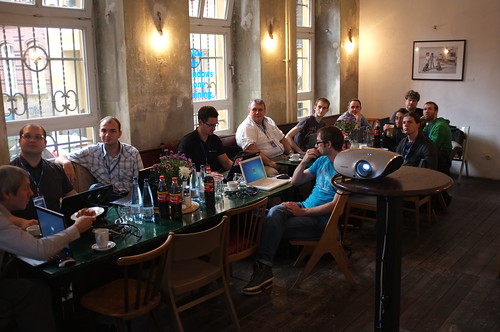
This time we were in the slightly more intimate surroundings of the cafe next to the college we were at yesterday. Really nice setup, with fantastic food. The food has been really good everywhere I’ve been on this tour.

DSCF4068

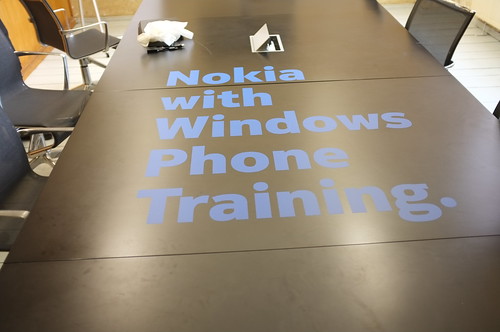
They had even branded the conference table upstairs, which was rather sweet.

The German audience stayed tough on us. One of the things that I reckon is that if a course goes well the audience learns a lot. If a course goes really well, the teacher learns a lot too. And that is how it has turned out. Some of the technical questions that we got really had us digging deep to find answers and even writing test programs to show what was going on. And I now have ideas for a whole bunch of blog posts about Windows Phone development that I must write down before I forget.

Then it was straight to the airport to fly home. Busy day tomorrow. Is there any other kind?

Nokia with Windows Phone in Berlin

Today we did the first day of our Windows Phone training in Berlin. Of course I took pictures.

DSCF3900

Not a bad view when you are having breakfast

DSCF3955

What we are here for

DSCF3956

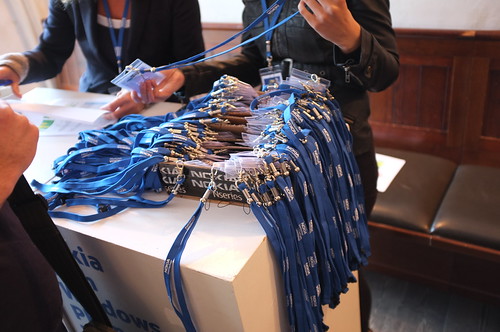
Badges

DSCF3999

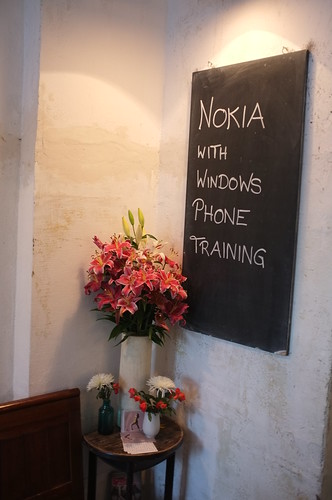
They even had branding on the floor…

DSCF4015

Jens Dissmann of Nokia Germany gets things started

DSCF4018

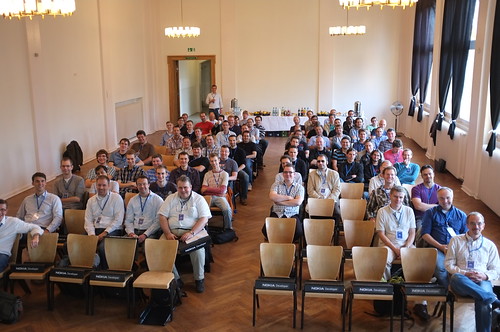
A great audience, with some really tough questions.

I said I’d put up links to the content. Here we are:

You can get all the content, slide decks and more, from the Jumpstart web site here:

http://borntolearn.mslearn.net/wpmango/m/mediagallery/default.aspx

The ones you want are:

01 Mango Building Phone Apps
02 Mango Intro Silverlight
03 Mango Advanced Silverlight
05 Mango FastApp Switching
11 Mango XNA Winphone
12 Mango Selling applications

There are also other decks and samples you might find interesting. If you want to watch videos of Andy and myself delivering this content (and who wouldn’t) then you can find them on Channel 9 here:

http://channel9.msdn.com/posts/Mango-Jump-Start-01-Building-Windows-Phone-Apps-with-Visual-Studio-2010

You can find the Tidy ToDo application here. To use the WCF server project you have to have IIS installed on your machine and you must start Visual Studio in Administrator mode:

https://skydrive.live.com/redir.aspx?cid=a4ce6a659fd80c02&resid=A4CE6A659FD80C02!1482

Heading for Berlin for Windows Phone Fun

WP_000316
Why can you never find a mouse when you need one…

Flew out to Berlin today. The Nokia Windows Phone Training is moving on to yet another country. I wasn’t able to make the Madrid one on Friday, but I’m told it went well and that a good time was had by all. And here I am in Berlin. Lovely city. I’m wandering round remembering why I like it so much.

The hotel suite I’m in is the biggest one I’ve ever stayed in. It has a bigger living room than our house. I did actually get lost in it at one point. I’m only here for a couple of nights, back in Hull on Thursday, but I really could live in this place. Me and around ten of my friends…

Mango and Visual Studio 2011

DSCF3729

Spent a little chunk of today upgrading my Windows Phone to the proper version of Mango. Some time ago I was lucky enough to get hold of the Release Candidate for Windows Phone 7.5 and last week they released the final version. When we did the Release Candidate upgrade we were told to make a backup of the phone and keep this safe, safe, safe so that we could revert back to the version from the mobile operator (in my case Orange) and then apply their upgrades too.

Of course I lost mine.

I can’t really think of a good excuse either. I just went back to where it should have been and it wasn’t there. I think I confused CTRL+Drag (copy) with Drag (move) and then ended up with one less copy of the file than I thought.

Never mind, the good news is that the Windows Phone folks have supplied an update that removes the need to return to any backups. This is also nice because it means that any SMS messages, phone calls and other stuff in the really useful messaging threads will stay up to date. The update runs twice, once to put the latest version of Windows 7.5 on your device and again to reconnect the phone to the update servers from your mobile operator. It works well, in fact the first thing that happened after I’d done all this was another update from Samsung.

If you have upgraded your phone to Windows Mango Release Candidate you should be getting the messages about upgrades real soon now. I’ve not noticed much new about the new version yet, but then the Release Candidate was pretty darned solid anyway.

Make sure that when you do the backup you do it on a machine which the phone is synchronised with. That way it will take (another) backup that might be useful in the future. I’m going to try very hard not to lose this one.

Giving Away C# Books

WP_000314

The lab before we started. Apparently we’ve replaced over half the machines over summer…

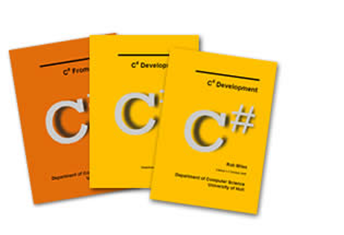
Today was the first programming lab. Great fun. All the students turned up and were given a memory key (for files) and a copy of the Yellow Book for 2011-2012 (How quickly the years go by). If you want an electronic copy you can head over to www.csharpcourse.com for a PDF.

WP_000313

Trust me, in real life it is actually very yellow indeed.

My favourite moment in the lab was when a student asked me a question and I didn’t know the answer. “Can’t you tell me roughly"?” he enquired “I don’t know.” I said in my best gravelly voice.

Welcome to Hull.

Welcome to the First Year

First Year

Most of our new students, and Mike Brayshaw in the Large Lecture Theatre.

We did our first First Year lecture today. If you see what I mean. Went well (at least I thought so). Then on to the welcome party. We had Kinect, PS Move, Rock Band and of course Wii Sports. Along with the quiz. Thanks to Simon for the picture rounds.

Puzzle Solving

Doing the quiz

DSCF3823

The Winning Team looking mostly pleased with themselves…

DSCF3828

A good night, well spent.

I’ve put a bunch more pictures on Flickr, you can find them here.

Welcome to Hull

DSCF3757

Library looking good

Welcome to Hull for new students. And welcome back to everyone else. I love it when we start the semester with good weather. It really shows off the place, which is looking lovely at the moment. Each year I put up a bunch of tips for new students, so here goes again:

  1. Make sure that you have all your updates installed on your system. It doesn’t matter whether it is a Windows PC, a Mac or a Linux netbook. Find out how to check for updates and get everything up to date. At some point you will want to connect your machine up to a campus network of some kind, and if you don’t have all the latest security patches you may be vulnerable to infection.
  2. Do something about viruses. At the very least make sure that your Windows PC has Microsoft Security Essentials installed and running, that the databases are up to date and that you run scans at reguar intevals. If you really want to install an anti-virus program don’t feel obliged to spend a lot of money, the AVG free anti-virus program is good and will cost you nothing. Get it from http://free.avg.com/. Please don’t spend huge amounts on some of the more expensive ones. The benefits are dubious and they also have annual renewal charges too.
  3. Take a backup of your machine and leave it somewhere safe (perhaps even at home). Find out how to use the backup software on your machine and take a copy of everything. Use one of these cheap external hard disks that you can pick up for around 35 pounds or so from places like http://www.ebuyer.com/ or Staples, or even Tesco. That way if it all goes horribly wrong when you get to university you can recover your precious music, videos and other stuff. Once you have the backup habit, take one every month or so.
  4. Don’t spend huge amounts on software just yet. Most universities (including ours at Hull) have deals that get you some programs that you need cheaply. The same goes for books. In the computing field they are rather expensive, and you don’t want to pay a lot for a book and then find out that it is only used for a small part of the course. You can check the books out in the library, and you might also find that there is a second hand book sale on your campus where you can pick up the required volumes from other students quite quickly. You might also want to form a little cartel with fellow students to share books between each other and spread the expense (this is also neat because it can also give you a ready made study group).
  5. Get a usb memory stick . Keep backups of all your work on it. You can also use it to take files into the university to work on. You will get some filespace on the university network, but it will not be an enormous amount, and having your files always with you is useful. Put a file on the drive with your contact details (just your name and phone number) so that if you lose the drive people can find out who to return it to.
  6. Get some free on line storage. I like Windows Live Skydrive: http://skydrive.live.com/. This gives you 25 GBytes of space which you can access from anywhere on the web via a browser. The major limitation is that files can’t be more than 100M in size, but this is a perfect place to lob all those important essays and program source files. You’ll need a Windows Live account to use this and the uploading and downloading of files is all via browser which is a bit of a pain but there is a tool called Gladinet: http://www.gladinet.com/ that is supposed make this storage available to your applications although I’ve not used it. You can also use Skydrive to make your files available to other people. The access is controlled via their Windows Live Accounts and you can just email them a link to the download location or folder you want them to have access too.
  7. If you have more than one computer and you want to make sure that files are up to date on all of them you can use Windows Live Mesh for that: http://www.mesh.com/. Mesh gives you another 5G of free online storage and you can even synchronise files to Windows Mobile devices. Anyone who just stores their important files on their laptop hard disk is an idiot. These services are free and mean that you can get at your files from anywhere, and you will not lose them. If you want even more online space take a look at DropBox at http://www.getdropbox.com/. Dropbox and Live Mesh are also very good for sharing files with each other.
  8. Make sure you have insurance for all your nice toys. It would be terrible if they got stolen or damaged before they were insured. Take a look at cover from student specialists like Endsleigh: http://www.endsleigh.co.uk/Student/Pages/student-insurance.aspx (if anyone knows any cheaper deals feel free to let me know and I’ll update this post)
  9. Don’t be afraid to ask questions. If something doesn’t make sense at the time make a note to follow it up later. Don’t let problems hang around until they seem to grow. Find someone and sort things out as soon as possible. Every department has people who know how everything works and can give you help. We have a fantastic team at Hull (I’ll let you find out who they are). If you have a problem, please come and let us help you with it.
  10. Don’t worry. Really. You’ll be fine.