Black Marble 3D Printing Magic

DSC04303-Edit.jpg DSC04311-Edit.jpg

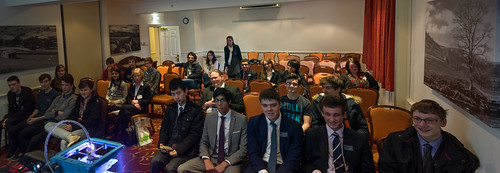
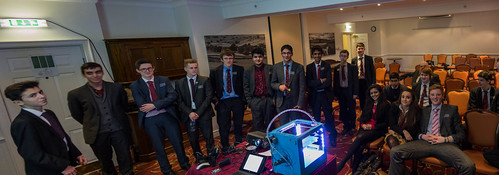
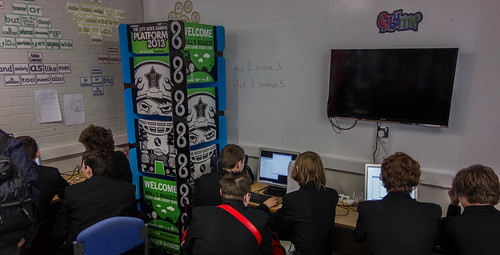
These are most of the two groups,carefully stitched into almost successful panoramas, and with Una the Ultimaker in the foreground, as it should be.

I love doing talks like this. The folks above are all Sixth Formers from schools around Black Marble, who have invited them in for some computer based inspiration. They had talks about cloud computing, encryption, built some systems using Gadgeteer and then had a session from David and myself where we talked about university life and showed off some 3D printing.

I’d taken along Una the Ultimaker and, despite me nearly breaking her during the first session, she behaved in an exemplary fashion, printing out the weather forecast in 3D and then, during lunch, a couple of tiny owls.

I reckon that 3D printing is going to change the future and have a huge impact on the way we do things. I made the point that when I was the same age as the audience a printer was someone you gave things to have them printed for you. Nowadays everyone has ready access to high quality colour printing on cheap inkjet devices.

We are moving towards a world where cheap 3D printing is going to mean that physical objects can be customised and built on demand. There will be no reason why the things around you shouldn’t be just the way you like them, and completely unique to you. I told the audience that learning a bit of 3D design skills would be a good idea, along with some programming smarts so that you can write code that will build designs for you, and let you create objects from any kind of data that you like, including of course the weather forecast.

Thanks to all the folks at Black Marble for setting up the event and to David for doing the serious stuff.

I’ve put the slide deck here.
Pythons Duly Wrestled

image

We had our last “Wrestling with Python” session today. Simon, Robert, Warren, Mike and myself have been helping some teachers from local schools get to grips with the Python programming language. You can find the notes and exercises from the course here.
The six sessions have flown by (particularly the one that took place while I was in Seattle…) We gave out completion certificates and talked about continuing into the future. Everyone seemed keen to come back, which is nice.

The Python programming language is definitely growing on me. Of course my heart belongs to C#, but I do quite like writing Python programs. The C# language is a bit like your mum, always concerned with your welfare, fussing a bit but making sure that everything is just right. Python on the other hand is a bit like your crazy auntie who doesn’t make a scene if you forget to comb your hair and suggests going of and things like parachute jumps. She’s great fun to be around, but if you are actually looking to do something properly you’ll want to work with mum.

Actually I don’t have particularly strong opinions about programming languages. My concept of the “best” language is very simple. The best language is the one that they will pay you the most cash to write programs in. I will quite happily write JavaScript if the money is right. And I might even reprogram my keyboard to produce cash till sounds when I type so that I can remind myself why I’m doing it…..

With programming languages it is often a matter of “horses for courses” and I reckon that a proper programmer should have a good working knowledge of at least two or three, and be prepared to learn a new one if the occasion demands it.

Python is a great tool for learning, it is possible to “play” with Python code in a way that is rather fetching, and it was fun introducing the teachers to the business of programming. With a bit of luck we’ll do some more in the future. If you are a local teacher who wants to get involved in the next tranche of sessions, let me know and I’ll put you on the list.

Hyperspace Cheese Battle

SmallGameBoardFixed

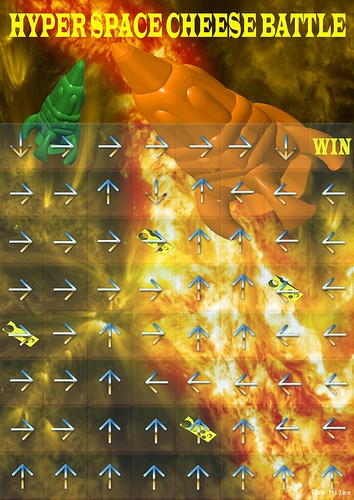
Ask any of our First Year students what is occupying their minds just right now and they will probably give you the response “Hyperspace Cheese Battle”. This is the assessed coursework that they are grappling with for our C# programming course. Above you can see the lovingly drawn board. This is actually version 3 of the layout, after sharp eyed students spotted some tiny flaws in previous incarnations. Ho hum.

The game is a bit like the Space Cheese Battle game that we wrote last year, but this year we are playing in Hyperspace, which means that the directions of movement are given on each square, rather than everyone following the same route around the board. There are special “cheese squares” and you can shoot at other players and cause their engines to explode.

And our students have to make the game work in C#. Most folks seem to be doing OK. If you are having problems I would give you the same advice I give everyone who is working on coursework.

  • Work on one part at a time, and don’t get deflected onto other bits until you’ve solved that part.
  • Seek help as soon as you have problems. Send me emails, drop round to my office, use the lab demonstrators, go to Peer Assisted Student Support (PASS) sessions.
  • And don’t worry.

Hungry Bear in Leeds

image

If you find yourself hungry in Leeds and fancy some fine food I can strongly recommend the Hungry Bear in Meanwood. We had lunch there today and the food was excellent. The burgers are very good value and for afters they serve a platter with a whole bunch of Yorkshire cheeses. They also have an interesting selection of locally brewed beer. You can’t get better than that.

PlayStation 4 vs. Xbox One - Fight

DSC04213.jpg

I’ve actually had a chance to play with both the Xbox One and the PlayStation 4 now. As for which is better, they both are. I reckon the Xbox One has the better launch games and more potential, what with the ever-present Kinect and the HDMI pass through (which is not particularly useful outside the US at the moment). But the PlayStation 4 has slightly better hardware (although this is a bit up for discussion) , with a smaller, more stylish, box and no need for an external power supply.

Performance wise they are very, very, similar. Although we’ve not really seen software that will do them justice just yet. Forza on the Xbox One looks great, with car models looking lovely. Knack on the PlayStation 4 is good looking too, although this doesn’t jump out at you quite so much. The controllers are both excellent and the prices just about line up once you factor in the price of the camera for the PlayStation 4.

The magazine GamesMaster has a very good comparison of the two consoles. I felt kind of sorry for the folks who had to write this piece, if they either of them is the best they run the risk of annoying half of their audience.  I was reminded very strongly of camera magazines when they try to compare Nikon and Canon cameras. Both take excellent pictures and would make any photographer really happy. My take is that Canon are slightly more “consumer” whereas Nikon have a few more rough edges but probably have the edge in performance, but you really couldn’t go wrong choosing either one.

And so it is with the consoles. In a year or two there might be a stronger divergence but I reckon any good ideas had by one camp will be quickly taken up by the other one. The most important thing for gamers is that this on-going competition is going to drive standards even higher.

Oh, and Super Mario 3D on the Nintendo Wii U looks pretty good too…..

How Woody Allen can improve your 3D printing

WP_20131129_08_00_21_Pro__highres.jpg

It’s actually quite easy. I’ve noticed that there are some irregularities in the output from the 3D printer. The output is actually pretty good now, but I’m getting some horizontal banding along the sides of objects.

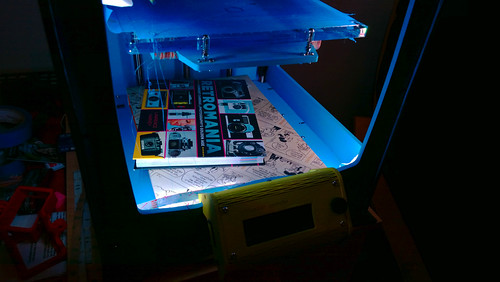
Someone on the interwebs suggested that the banding is due to vibration of the base panel of the printer. This supports the print platform and if it is wobbling up and down this could cause some of the problems. So I put my copy of the Woody Allen book “Dread and Superficiality” on the base, along with a retro camera book I got last Christmas, and the vibrating seems to have been damped down a bit. I think I’ll make a proper damper out of some old floor tiles, and take a look at the fan that is causing most of the vibration.

I did some printing and things seem to have improved a bit, which is nice. I’ll know more when I’ve printed some straight sided objects. At the moment I’m mostly printing Tiny Owls for some reason….

Tom Talks Rather Useful Security

DSC04302.jpg 
Tom keeps his nerve….

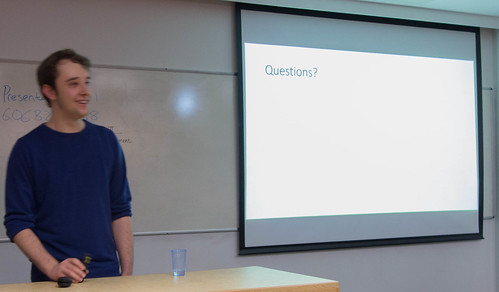
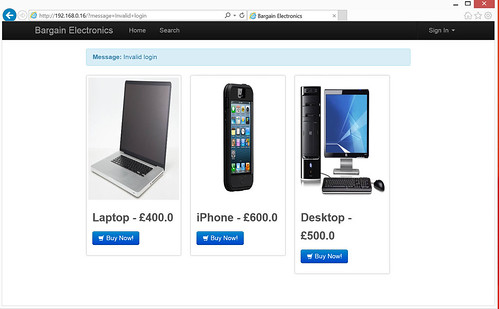
We had a student powered Rather Useful Seminar today. Tom Forbes is one of our third year students and he has a side-line in computer security. So a while back he offered to give a Rather Useful Seminar about his experiences making the web a more secure place. In fact he wanted to go beyond just talking, and actually set up a web site, just for the hacking of. So he did.

TomsSite.jpg

Tempting products, but woefully insecure.

We were actually able to connect to the site and do some injection and scripting attacks there and then. Great fun. You can find out more about the presentation on Tom’s blog, here.

I made the point that if any other students think they might have a seminar in them, we are always looking for volunteers. It is great practice. If you reckon you have a story to tell, get in touch and we can set something up.

Pro Wrestling

DSC04153-Edit.jpg

I love my shiny new Surface Pro 2 dearly. It is very, very, close to the perfect computer. It is useful in about any situation. It weighs next to nothing for a machine of this power. The screen makes movies look lovely. The battery lasts for a good while. There is enough disk and memory space to put all my work on it (I got the 256G disk version with 8G of ram) and the machine seems powerful enough to run just about everything I throw at it.

And yet it is not perfect.

The first problem I’m having is one shared by very many Surface Pro 2 (and perhaps Surface 2 owners). The machine is a bit like me first thing in the morning. It really doesn’t like to wake up. Putting the machine to sleep and then waking it up again is a terrible lottery. Sometimes it works. Other times it does a fresh reboot, killing any applications that were running. And now and again it does a really frightening thing involving “Automatic Repair” that doesn’t seem to result an any great data loss, but it does scare the bejesus out of you, and is just the thing you don’t want to see on the way to a lecture you are about to present from it. From the forums I notice that quite a few people are having the same problem. Some link it to the Type Cover 2, others to the WIFI adapter. I’ve tried a few of the suggested fixes, but the only one that really worked for me was to tell the machine not to sleep when you closed the cover, but to hibernate instead. This is the mode where the machine copies all of the memory to the hard disk and then shuts down, loading the memory back on restart. This is a tad slower than waking from sleep, but it does seem a lot more reliable.

The second problem I’m having is that the Wi-Fi adapter does not work reliably on the university network. At home fine. In Starbucks fine. On the Microsoft Campus fine. At the University I get around five minutes of operation followed by failure. The Wi-Fi hardware thinks it is connected but all applications that try to use the network beg to differ. This is very annoying. Initially I thought I was going mad, but then I found a post on the Surface forums describing these exact symptoms in another device.

I’m inclined to wonder if all this is an issue with the Hyper-V virtual machine feature. I’ve, rather unwillingly, had to turn this on so that I can develop for Windows Phone 8, but I’ve noticed on other computers that some device drivers really don’t work well in this mode. I also think that the power on problems are not restricted to the Surface platform, some other machines I’ve used seem startlingly bad at getting going.

I’m hopeful that these will be fixed by a firmware/driver update some time soon. Microsoft are maintaining a stoic silence in the face of these problems, which I hope means that they are working feverishly behind the scenes to fix them.

Cottingham Lights 2013

DSC04276.jpg

Every year around this time they turn on the Christmas Lights in Cottingham where we live. I go out and take some pictures. Some years I just leave the shutter open and wave the camera around a bit. This was one of these years.

DSC04285.jpg

They had some folks there selling flashing lights and stuff, which made for some great effects. Not sure if they are art or not. But I like them.

Philadelphia Freedom

WP_20131123_13_51_50_ev0_Pro__highresAnd4more.jpg

Flew back today from “The Best MVP Summit Ever”™. My flight was via Philadelphia, where they had a rather nice sunset (see above). I took the picture with my Lumia 1020 (actually I took 5 and then merged them together to get the rather pleasing result).  I think I’ll print out a really large version of this.

Another surreal favourite moment, hearing Elton John’s “Philadelphia Freedom” being played through the public address system while I was there. Awesome.

Free Windows Phone 8 Book

DSC04208_09_10.jpg

I’m very pleased to be able to report that my Windows Phone 8 Book (the Blue Book that is a companion to the Yellow Book) is now available for free download from Microsoft Faculty Connection. There are around 250 pages of developer goodness spread over 15 chapters, along with a over 50 demos.

BigGreenButton

This is the button that you use to download the content. Click on the word Download. You don’t need to be a member of the Faculty Connection to get the content, it should just arrive as one large zip archive with the Blue Book document and all the demos.

Here’s a quick overview:

  • Getting Started with Windows Phone
    • The Windows Phone Platform
    • The Windows Phone Ecosystem
    • Windows Phone Program Execution
    • Windows Phone Application Development
  • Making a User Interface with XAML
    • Program Design with XAML
    • Understanding XAML
    • Putting Program Code into an Application
  • Visual Studio Solution Management
    • Getting Started with Projects and Solutions
    • Debugging Programs
    • Performance Tuning
  • Constructing a Program with XAML
    • Improving the User Experience
    • Working with XAML text
    • Using the TextChanged Event
    • Managing Application Page Layout
  • Advanced Application Development
    • Data Binding
    • Displaying Lists of Data
    • Pages and Navigation
    • Using ViewModel classes
  • Isolated Storage on Windows Phone
    • Storing Data on Windows Phone
    • Copying Files into Isolated Storage
  • Using Databases on Windows Phone
    • An Overview of Database Storage
    • Creating Data Relationships with LINQ
  • Networking with Windows Phone
    • Windows Phone Network Support
    • Networking Overview
    • Addresses and Networks
    • Creating a User Datagram Protocol (UDP) Connection
    • Creating a Transmission Control Protocol (TCP) Connection
    • Reading a Web Page
    • Using LINQ to Read from an XML Stream
  • XNA Game Development
    • XNA in Context
    • Making an XNA 4.0 Program
    • Player Interaction in Games
    • Adding Sound to a Game
    • Managing Screen Dimensions and Orientation
    • Using MonoGame
    • Making a MonoGame XNA program
  • Using Speech in Applications
    • Speech Synthesis
    • Controlling Applications using Speech
    • Simple speech input
    • Using grammars
  • Maps and Location
    • Determining the geoposition of the phone
    • Using the Map component
  • Using Bluetooth and Near Field Communications
    • Using Bluetooth
    • The Intercom Program
    • Using Near Field Communications
  • How Applications Run
    • Background Processing
    • Adding a Live Tile to an Application
    • File Transfer Tasks
    • Scheduled Notifications
  • Marketing Windows Phone Applications
    • The Windows Phone Icons and Splash Screens
    • Preparing an Application for Sale
    • Windows Phone Store
    • Making your Application Stand Out

Enjoy.

A Trip to the Space Needle

DSC04157_8_9.jpg

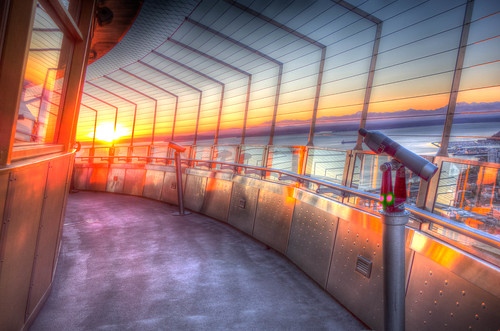
I made it to the top of the Space Needle ten minutes before sunset. It had been clear and bright all day (something of a rarity for Seattle) and I thought I might be able to grab some good pictures.

I was right.

I was there for quite a while taking pictures. It was very cold out on the observation deck, but there was a nice warm cafe where I could grab a coffee and wait until I could feel my fingers again.

DSC04026_7_8.jpg

This was a very fitting end to what has been one of the best MVP Summits I’ve ever attended. The depth of the content, the quality of the engagement and the scale of the developments coming down the tracks were all mightily impressive. I’m never quite sure just what I’ve done to deserve to get an inside track like this, but I’m very pleased that I have. Thanks to all at Microsoft for setting it all up.

Secret Agent Watch Secrets at the MVP Summit

Actually there are no secrets here really. It was rather nice to go to a session and hear the presenter say “You can blog all you want about this.”. So I am doing. Chris Walker, Founder of Secret Labs had come along to tell us about the new Secret Agent watch that his company launched on Kickstarter a while back. He’d brought along some hardware samples and the latest version of the software that lets you use the accelerometer in the device via a funky new emulator. I had a play with this and one of the demos shows how to make a big font watch face.

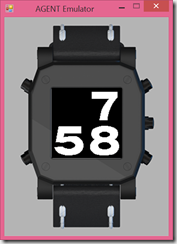
The code is very simple, each of the letters is a gif image that is just drawn on the watch screen.

image

If you fancy having a play with this you can download the software from the Agent Watches web site.Above you can see the emulator.The hardware looks very nice. Two processors, one a low power device, ground breaking power monitoring and new display technology. Great stuff.

DSC03896.jpg

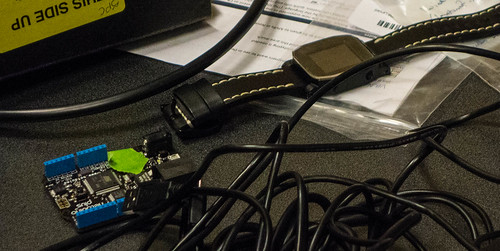
This is the watch.

DSC03907.jpg

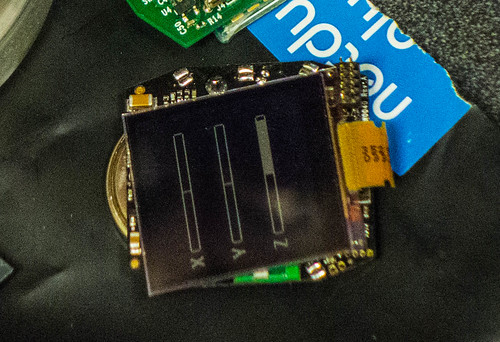
This is the hardware inside, with the display.

Chris was telling us that there have been some delays on the hardware (this is nothing particularly surprising when you are making stuff) but that it should be available after Christmas.

MVP Summit Day 2–Beer and Bicycles

Today was the time for more and more stuff. But then it was time for another in the series of World Famous MVP Summit pub crawls. Or in this case, pedal

DSC03781.jpg

This is the only bicycle with a bar that I’ve ever seen, let alone been on. The principles is simple enough..

DSC03795.jpg

It is a bicycle powered by MVPs. Powered by beer. We pedalled down the road to bar number one,

DSC03800.jpg

The first bar was great, although the duck shooting game was obviously broken as I was comprehensively beaten when we were playing it. /when moving on we switched to “stagger power” and went off to the next one.

DSC03811_2_3.jpg

The streets are very pretty round here

DSC03826.jpg

The second bar had a great name, amazing artwork inside (since it was for sale I’m not posting pictures)..

DSC03880.jpg

..and superb live music. And pizza. And beer.

DSC03893.jpg

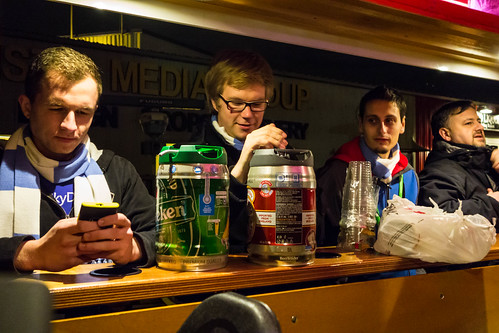
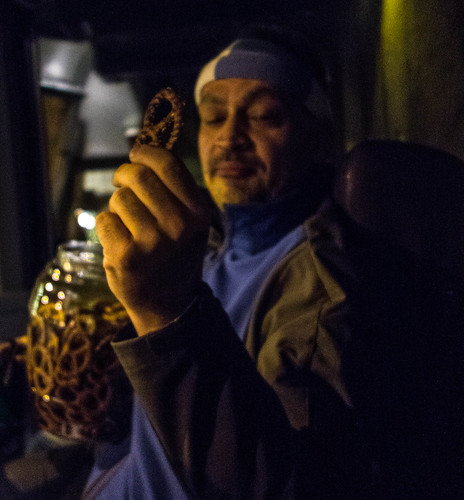
And pretzels.

It was a great night. Thanks to Desiree and Sharon for setting up everything and making it such a wonderful occasion.

MVP Summit Day 1

DSC03758_59_60.jpg

When you go to the MVP Summit they essentially open up your head and pour a ton of stuff into it. Unfortunately I’m not in a position to say what the stuff was. I can’t tell you how many Non-Disclosure screens we saw. Actually, that’s not because the number is a secret, it is because I lost count. All I can write about the Windows Phone sessions is “Blimey, this all looks very nice”.

After our “reverse brain dump” we headed outside for a walk around. It has been cold, damp and raining since I got here, so of course I feel right at home.

Flying with Bad User Interfaces

WP_20131117_15_32_07_Pro.jpg

So today I was lucky enough to get to fly out to Seattle for the MVP Summit. That’s twice in one year. Lovely. We took off and before long I was playing with the in-flight entertainment. As you do. The picture quality and sound were excellent. The range of movies and TV shows as wide. But the user interface was horrible.

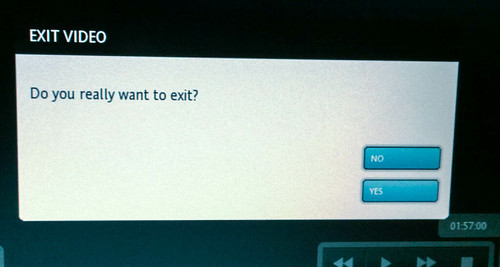
Take the screen above. The user interface is touch driven, so you are reaching out with your fat fingers on the end of your wobbly arm to hit one of the two buttons, which do fairly critical things. Get the wrong button and you will be upset. So why are the buttons so close together, so small, and why is the text on them so hard to read?

And then there’s this:

WP_20131117_15_32_22_Pro.jpg

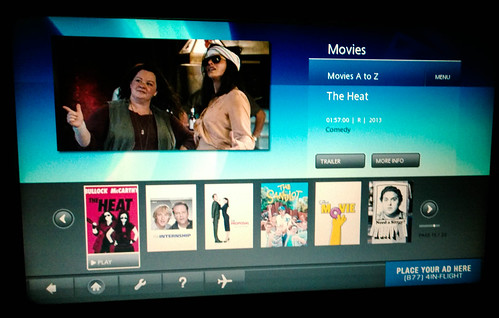
This is how you pick the films. The screen is pretty enough but it is filled up with useless information. The titles of the films themselves are impossible to discern on the artwork and the scroll targets are tiny tiny.  If they had thought about it they could have put the name of every film, in text, on one screen and saved us the hassle of grinding through the pages.

Add to this a very unresponsive and inaccurate input and you have a recipe for an unhappy user. And the annoying thing for me is that the service, once you started watching, was very good indeed. It was just that someone really didn’t think how the user interface was supposed to work.

Microsoft 3D Design Tool Released

Screenshot (1)

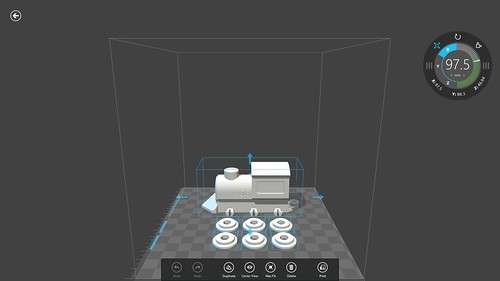
Earlier this year Microsoft announced that they would be supporting 3D printers as native devices in the Windows 8.1 operating system. The aim of this is to make 3D printing as easy as 2D printing is today. They’ve just released a 3D design tool, along with some rather nice 3D designs, which you can download for free from the Windows Store. Just search the store for “3d printing” to find it.

The program works with a newly released printer driver for the Makerbot printers. The program looks very good, but unfortunately at the moment I can’t use it to print with my Ultimaker yet as that printer doesn’t have driver support. I really hope that it arrives at some point, it would be a great step to making a 3D printer a proper “appliance”.

Hull University at Platform Expo

DSC03702.jpg

Getting to grips with interfacing.

I learned something new today. I leaned that it is actually possible for Simon and me to leave the university at ten minutes past nine, drive to the middle of Hull, set up 15 Raspberry Pi systems (with keyboard, monitor and mouse), get parked up and have it all ready for a class at ten o’clock.

Possible, but not exactly relaxing.And without the fantastic help from the crew at the venue, it would have been quite a different story. People, you were great.

As usual with these affairs the first few minutes are as hectic as a very hectic thing on roller skates. But then everyone settles down, people get into the material and start writing code and making lights flash. I love it when I ask someone “Have you ever programmed before?” and they say no. And you can see from that they are up to that they are enjoying it and might just want to do some more one day.

DSC03707_8_9.jpg

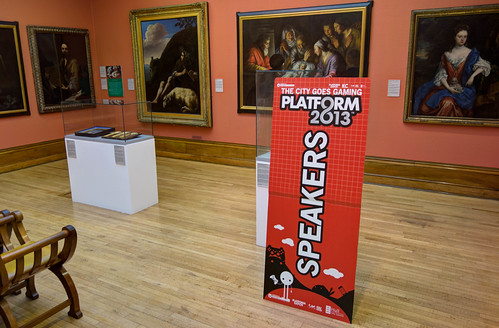
Some of the sessions were in the Ferens Art Gallery, which turned out to be an excellent venue.

We were down to do four workshops of one hour each. And we had a two hour lunch break which we used to go and see talks from Richard Adams from Microsoft and Carla Prada of Soho Studios.

DSC03729.jpg

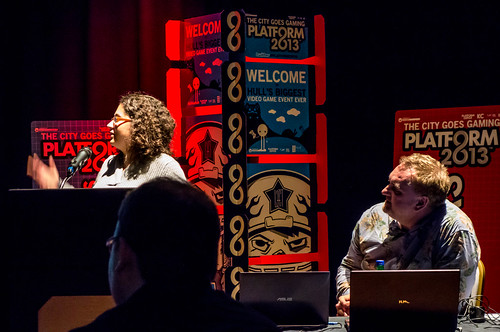
Richard talked about the way that the business of making games is changing, and how companies like Microsoft are looking for Computer Scientists rather than great programmers to write for their latest systems. To me this makes a quite a bit of sense.  Writing good code is one thing, but creating programs with an understanding of how the system actually executes your program means that you can make much more effective use of the technology. This is not always an issue, the speed of modern processors is such that they can often compensate for inefficient code. However, this is not the case in games, where you need to squeeze the greatest possible amount of performance from the platform. We cover this in the second year, when Warren introduces C++ and talks bout things like arranging your loops and tests to make best use of the way that the computer processes instructions in hardware. Good to hear an industry professional telling us that it really is important.

Next up was Carla, telling us about the creation of  new kind of interactive children’s entertainment character for Sesame Street. It was very interesting to hear about the trials and tribulations that you get when trying to motion capture and then animate puppets, especially furry ones. And it was also nice to hear what an occasion it is to actually meet “Big Bird”. Carla showed some of the motion capture scenes, and it was fascinating to see how the puppeteers make things seem so alive.

Then for Simon and I it was time for a quick sandwich before going back into the fray for some more workshop action. Then we packed all fifteen monitors etc back into the cube and returned to the university, nicely in time for my 5:15 lecture, where I gave away some Platform Expo wristbands.

A busy, busy, day, but well worth it.